



Pozadavky: Android 2.2 a vyssi
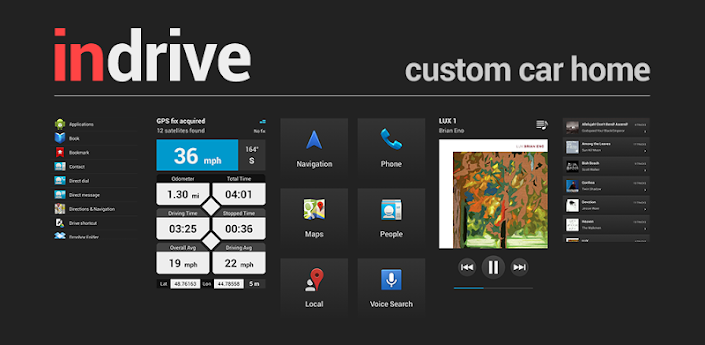
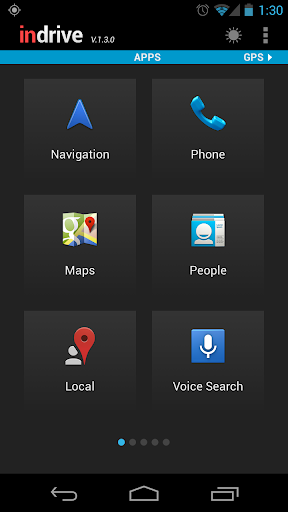
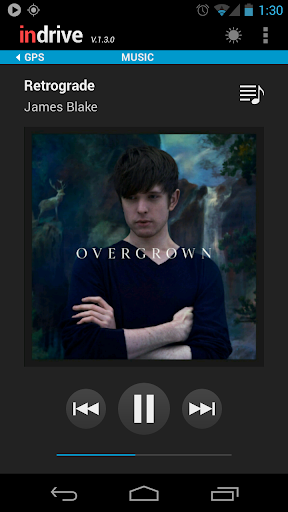
Popis: InDrive is a unique application that combines car mode functionality with an advanced trip computer and deep Poweramp integration. With one-touch access to the most useful features on your phone, this app is your perfect driving companion!
Screen:
What's in this version:
v.1.3.1-1.3.2 - Apr 2013
• Support for bigger screens (1920x1080)
• Fixed: Force close when using direct dial
• Fixed: Music playlists causing app to crash
v.1.3.0 - Apr 5, 2013
• Swipe up/down to scroll through shortcuts
• New display modes: Day, Night and Auto
• Auto switch between modes at sunrise/sunset
• Quickly change songs by swiping up/down
• Improved track recording
• Added option to clear the log file
• GPX files now contain track segments
• Fixed: Pandora shortcut does not work
Vice info:
Kód: Vybrat vše
https://play.google.com/store/apps/details?id=com.codesector.indriveKód: Vybrat vše
http://uloz.to/xVXyu6Tk/indrive-custom-car-home-v1-3-2-unlocked-apk
https://mega.co.nz/#!DBIHnQxS!NohqADcvCLYvQc4DxabcigeU8FE_go9aPSlpCdkcac8
http://www10.zippyshare.com/v/60086823/file.htmlNOTE FOR ANDROID 4.2.x USERS: Unfortunately, it appears that Google has removed dock home support in Android 4.2. Pressing the Home button will now return you to the launcher screen instead of InDrive or other car home app of choice. If you want this feature back, please vote for the following issue: http://code.google.com/p/android/issues/detail?id=39662
* The music screen is designed to work in conjunction with Poweramp. Without Poweramp installed, you will only be able to do very basic controls such as switching to the next song in the default Android music player. Support for other media players is not guaranteed.
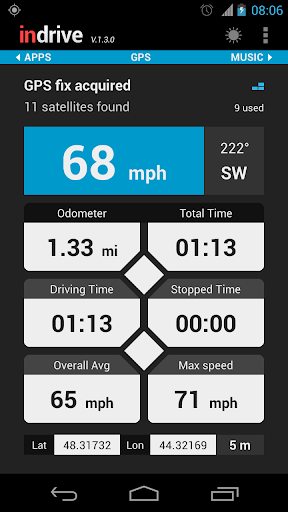
Trip computer features:
* Street address
* Speedometer (mph, km/h or knots)
* Heading
* Battery level
* Weather (Fahrenheit or Celsius)
* Odometer
* Time traveled (total / driving / stopped)
* Average speed (total / driving)
* Max speed
* Elevation
* Time of day
Startup options:
• Enable car mode (Force the phone into car mode like it had been placed in the car dock)
• Check GPS status (Open the location settings screen if GPS is disabled)
• Turn on Bluetooth
• Disable Wi-Fi
• Set media volume (Does not affect the ringtone volume)
• Set screen brightness (Will override the automatic brightness setting if necessary)
Other settings:
• Keep screen on (Prevent the screen from locking while the app is running)
• Disable auto rotation (Turn this option on when driving on bumpy roads)
• Turn on speakerphone
• Mute notification sounds
• Vibrate on press
• Minimum accuracy
• Filter the GPS speed
• Run in the background
• Enable track logging
• Exit on undock


