



(beta verze)
Pozadavky: Android 4.0 a vyssi
Popis: Zatim beta verze celkem zajimaveho launcheru.
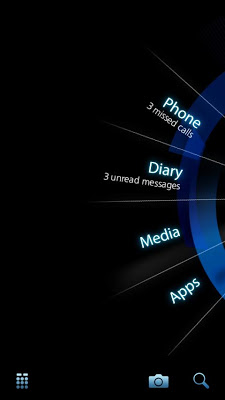
Welcome to the Beta version of the Splay©, a unique home launcher for Android devices that puts your own activity preferences at the heart of your mobile experience. Set the Splay as your default home screen and start enjoying a single hand operation with a fast, smooth and efficient access to your most essential activity using just one finger.
Screen:
Video:
What's in this version:
- Default App mechanism modified to reply on device defaults.
- Quick access buttons (Camera,Dial,Search) added to main screen.
- search mechanism had been fine-tuned to return more
accurate results.
- Execution of external apps modified so not to halt Splay animation.
- Several performance improvements were introduced.
- App activity can now be set with a background image.
- All screen load time has been reduced.
- Several APK permissions were omitted.
Vice info:
Kód: Vybrat vše
https://play.google.com/store/apps/details?id=com.els.splayKód: Vybrat vše
http://uloz.to/xUrj39Tk/splay-launcher-v3-0-4allmobile-eu-apk
http://www54.zippyshare.com/v/54960470/file.html* Can you make your Android device more user-friendly?
* Can you get super smooth access to your favorite apps and tools with a swipe of your finger instead of many taps?
* Can your Android be both intuitive & beautiful?
The answer is YES!
Welcome to Splay©, a unique home launcher tool for android devices that is all about creating an easier, user-friendly way to experience your Android.
Set Splay as your default home screen and start enjoying fast, smooth, easy access to all of your favorite apps & tools using one hand to both hold and operate the phone.
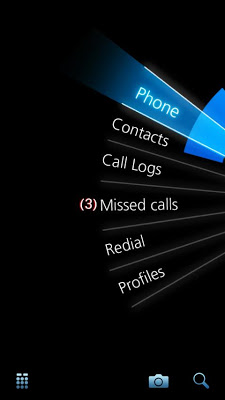
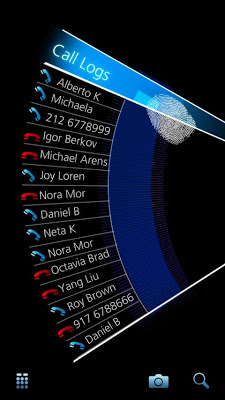
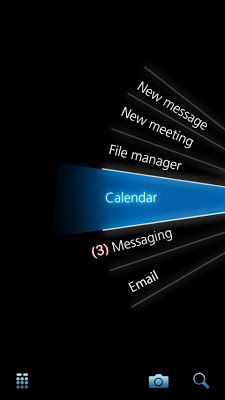
To use Splay, just swipe your finger or thumb across the home screen to access your phone, messages, music, apps and more. Access additional options by just swiping your finger across the chosen category; lift your finger from the screen to reach the next level.
Splay has three menu levels giving you access to almost any activity on your Android device.


