



(30,- Kc)
Pozadavky: Android 2.1 a vyssi
Popis: Add keyboard support to An2An Remote, to redirect keypress from one device to another device through Bluetooth or WiFi/Network WITHOUT root, allow using an android device as keyboard/gamepad of another android device. Support physical keyboard/gamepad and soft keyboard. This is not a standalone app and requires An2An Remote to work.
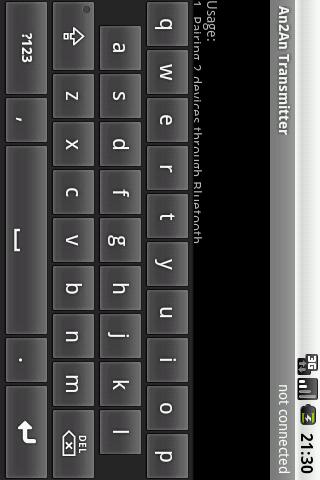
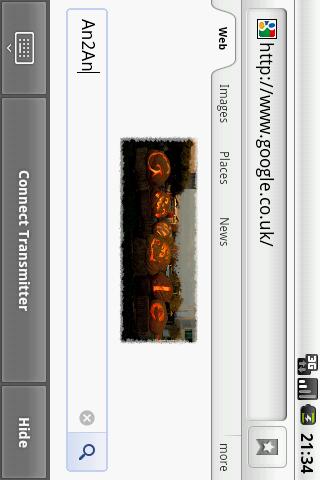
Screen:
Video:
What's in this version:
2.2.0 (2013-08-13)
**IMPORTANT**: To simplify upgrade process, An2An Keyboard now work as part of An2An Remote (previously An2An Keyboard Demo). Please use and check latest changes from An2An Remote 3.0.0+ instead (https://play.google.com/store/apps/deta ... an2an.demo).
Vice info:
Kód: Vybrat vše
https://play.google.com/store/apps/details?id=com.locnet.an2anKód: Vybrat vše
http://uloz.to/xZggmdKw/an2an-keyboard-v2-2-0-4allmobile-eu-apk
http://www31.zippyshare.com/v/7383152/file.html========
- If you have a phone with physical keyboard or gamepad (e.g. Xperia Play), you don't need to buy separate input devices for your tablet.
- By using another device to input, screen is not blocked by onscreen keyboard and your finger so you get better view.
- Some keyboard/gamepad solution (e.g. Wiimote, Sixaxis) only work with certain types of device, this allows using a compatible device as a "bridge" so you can use those input solution with any device.
- Touchscreen handling consume CPU times, by sharing workload to another device you can get some speed improvement.
Requirements
============
- An2An Remote (Demo) 3.0.0+ (https://play.google.com/store/apps/deta ... an2an.demo)
Instructions
============
1. Install and setup An2An Remote
2. Install An2An Keyboard to Transmitter device, restart transmitter app if running.
3. Connect An2An Remote normally and start using.
Compatibility
=============
This app works with most hardware keyboard/gamepad (e.g. dpad or Xperia Play buttons) and key-based software keyboard (e.g. our GameKeyboard app). It may not work well with text-based soft keyboard which directly manipulate input field text. Behaviour will be affected by active soft keyboard on transmitter, trying switching to another soft keyboard when having problem.


