



(20,- Kc)
Pozadavky: Android 4.0 a vyssi
Popis: "Chrome" "Reader" lets your eyes rest and have your ears do the "Reading" for you;
by speaking the text you want aloud from the "Chrome" "Browser" using "Voice".
Screen:
Video:
What's in this version:
v1.5.9 - NEW: Now supports "Chrome Beta"!
ADDED: Share Chrome Reader with your friends!
v1.5.1 - CHANGED: Recordings file names.
v1.5 - NEW: Record the voice content to a HQ audio file.
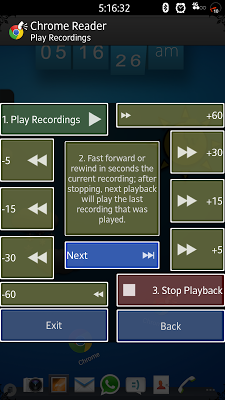
NEW: Built in player to listen to recordings.
NEW: Colorful Vocal Friendly User Interface (CVF-UI)
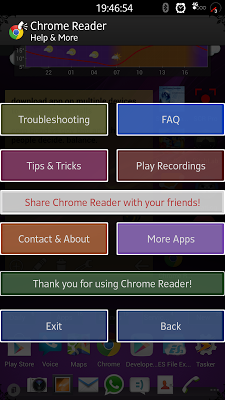
ADDED: More Informative pages & an extended Troubleshooter.
CHANGED: Interface Animations.
v1.1 - NEW: Shake device to stop voice reading.
v1.0 - Initial stable release.
To do list:
-More and more features!
Vice info:
Kód: Vybrat vše
https://play.google.com/store/apps/details?id=com.chromereaderKód: Vybrat vše
http://ul.to/hddf13uo
http://www.kingfiles.net/txxh93p9m7gw
http://turbobit.net/8klt70zyu8rn.html
http://unlimitzone.com/oilu852c6bma
http://www2.zippyshare.com/v/86314947/file.html
http://www.tusfiles.net/8nqz7yig5ic6
http://uloz.to/xCpKuGtg/chrome-reader-voice-v1-5-9-apk
http://ulozto.sk/x2JZu7jS/chrome-reader-voice-v1-5-9-apkby speaking the text you want aloud from the "Chrome" "Browser" using "Voice".
This FRIENDLY app is aimed both at basic users who are not familiar with technology, as well as advanced users who just want to perform this task in a very simple manner.
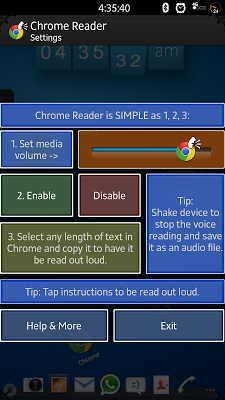
It's as SIMPLE as 1, 2, 3:
1. Open "Google Chrome" or "Chrome Beta".
2. Copy any text from the webpage.
3. Put your device down and listen.
TIP: Shake device to stop the "Voice" reading and save it as audio content.
DISCLAIMER:
"Chrome" "Reader" was built on an actual android device AND have been tested on many android devices in order to achieve maximum compatibility for android devices all over the world for people in need for this productive & Educational app!
No android emulators were used in the making of "Chrome Reader".
Negative feedback will not resolve your issue; Communication will !
TIP:
Once you highlight the text you can also press the 'select all' button which is left to the 'cut', 'copy' & 'paste' buttons and then copy the text to read the whole webpage!
It works great for saving pages for offline voice "Reading".
Educational use:
According to many reports by users, "Chrome" "Reader" actually helped them with Pronunciation, Reading and even Focusing on Listening as you can have the voice reading along with you just like in class with a teacher.
Feedback from users on xda developers:
"I love the concept and bought the app without hesitation!" -The Fer-Shiz-Nizzle
"This is simply brilliant. Good job." -rbrandser
"Awesome concept great for wiki articles on the fly" -Twmade
"I have a feeling this will get picked up by Google officially. I just paid for it. I have always wanted something that will
read web pages and here we are." -paniro187


