



(60,- Kc)
Pozadavky: Android 2.3 a vyssi
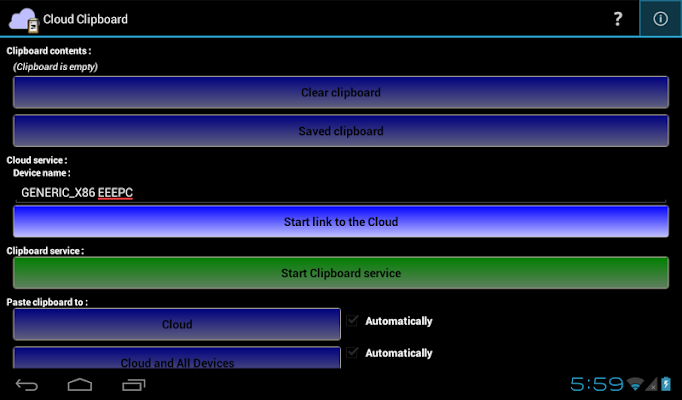
Popis: It help you remember your clipboard, It store your clipboard on the cloud, it enable you to share your clipboard across devices through the Cloud, it's a clipboard manager... on the Cloud.
Screen:
What's in this version:
- nova aplikace
Vice info:
Kód: Vybrat vše
https://play.google.com/store/apps/details?id=com.soft.titus.cloudclipboarddonateKód: Vybrat vše
http://www.tusfiles.net/hwxf70y84v3f
http://unlimitzone.com/u75rn3uu58k2/com.soft.titus.cloudclipboarddonate.ver.1.0.0.build.1.apk.html
http://rapidgator.net/file/3810be4e52fbcdc17f54d323e96a8764/com.soft.titus.cloudclipboarddonate.ver.1.0.0.build.1.apk.html
http://www.kingfiles.net/y09oc7trce5g/com.soft.titus.cloudclipboarddonate.ver.1.0.0.build.1.apk
http://www54.zippyshare.com/v/72568231/file.html
http://www.tusfiles.net/hqg2vu5p724m
http://uloz.to/xSq7jzPv/cloud-clipboard-donate-v1-0-0-apk
http://ulozto.sk/xHHTiJU8/cloud-clipboard-donate-v1-0-0-apk
Do you always have difficulty to type a long sentences on your device?
Or you have more than one device and you want to share the clipboard between them?
Cloud Clipboard is your answer! Clipboard on the Cloud.
It help you remember your clipboard, It store your clipboard on the cloud, it enable you to share your clipboard across devices through the Cloud, it's a clipboard manager... on the Cloud.
Key features :
- Monitor your clipboard for changes and store the changes automatically, never lost your clipboard again.
- Unlimited number of saved clipboard.
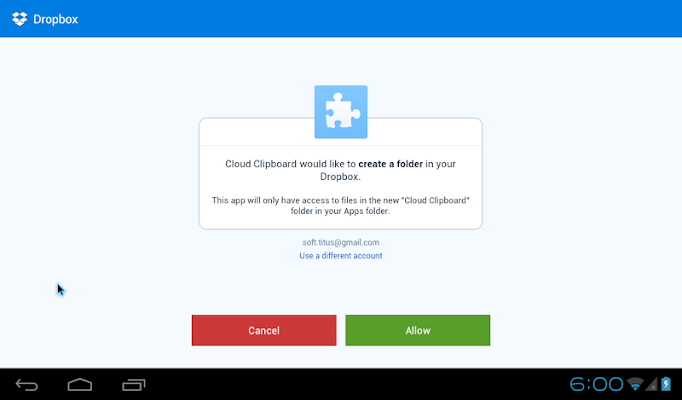
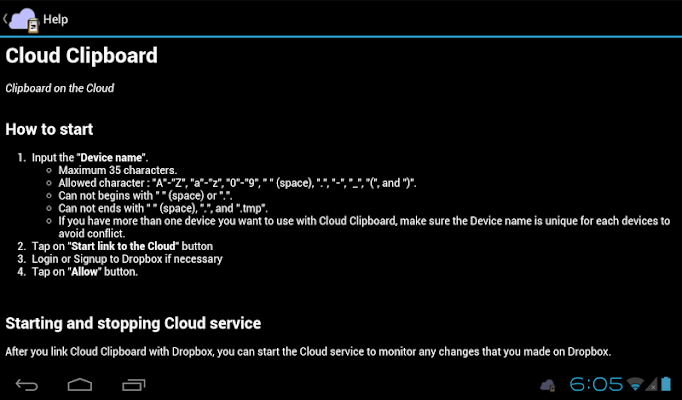
- Add a clipboard from the Cloud (Dropbox), put a text file into your Dropbox (from any device, such as PC), and within a few seconds the contents of the text file will be available in your device clipboard. You must put the text file on "\Dropbox\Apps\Cloud Clipboard\[DEVICE_NAME]\in\", change [DEVICE_NAME] to a device name you input while linking your Dropbox account with Cloud Clipboard.
- Support unicode text (such as Chinese, Japanese, Korean, Arabic, Hebrew, Cyrilic, etc.), make sure you set the encoding to "UTF-8" when you save the text file.
- Up to 10240 characters (10kBytes) per text file (Donate version, FREE version up to 2048 characters / 2kBytes).
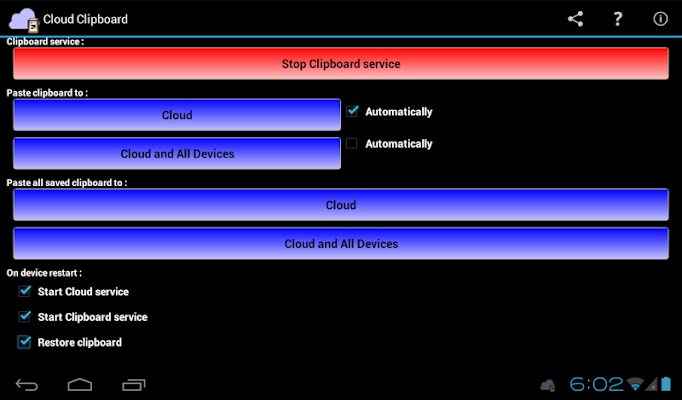
- Store your clipboard back to the Cloud (Dropbox), e.g. you want to save an important SMS from your phone to the Cloud, or your friend send you a link to a website and you want to open it on your computer.
- Share your clipboard with your other device, all device must be use same Dropbox account to enable this feature. Currently only support Android devices.
- Restore your last saved clipboard on device restart, you can start pasting it right away.
- Access saved clipboard quickly, anywhere, anytime, from the notification area.


