



(80,- Kc)
Pozadavky: Android 2.2 a vyssi
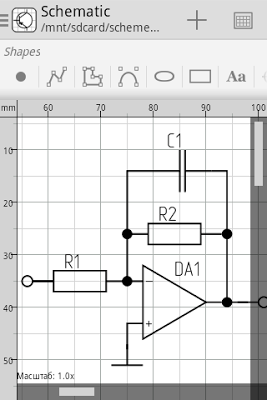
Popis: Schematic is an easy-to-handle and comfortable CAD-software, developed for different kinds of diagrams.
Screen:
What's in this version:
2.2.0.1:
- Bug fixes and minor improvements
2.2.0:
- Updated UI / UX
- Flip vertical / Flip horizontal
- Auto save when app is crashed
- Custom objects inside custom objects
- Two-way rectangle selection (intersect / inside)
- New text properties
- Share feature
- And other improvements and bug fixes
IMPORTANT: you can not open files created with Schematic 2.2.0 in earlier versions.
Vice info:
Kód: Vybrat vše
https://play.google.com/store/apps/details?id=ru.ustimov.schematicKód: Vybrat vše
http://www21.zippyshare.com/v/96560930/file.html
https://www.tusfiles.net/h8st45cnpw3h
http://hugefiles.net/ao1ju8akylcs
http://www.2shared.com/file/O5UBkDWr/Schematic_v2201.html
http://www.sharebeast.com/gc47joq3bgdy
http://www32.zippyshare.com/v/12381336/file.html
https://www.tusfiles.net/rjqtzhi0mna5
http://uloz.to/xmuzZ12b/schematic-v2-2-0-1-apk
http://ulozto.sk/x2hUVou2/schematic-v2-2-0-1-apkNOTE: please don't use hardware acceleration to prevent incorrect drawing.
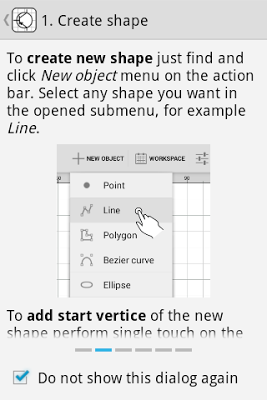
You can create and edit such graphic objects as:
- Point
- Line
- Polyline (polygone)
- Bezier curve
- Ellipse
- Rectangle
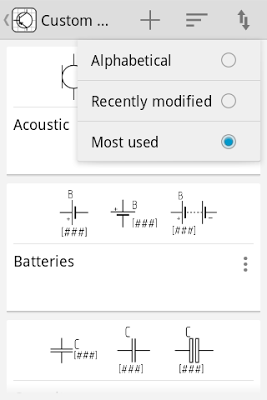
- Custom objects
NOTE: please try FREE demo version (Schematic Demo) before purchase.
Another features available in full version:
- Custom object editor
- Export / Import custom objects
- Rotate custom objects
- Export workspace to JPG, PNG, SVG or PDF (beta)
- Undo last action
Editing objects performed by interaction with a device touch screen.
How to use:
- Single touch - adds an object or vertex / selects the object
- Double-tap - unselects the object
- Long press - Show context menu of a selected object
- Pinch in / pinch out - scales the workspace


