



(20,- Kc)
Pozadavky: Android 3.0 a vyssi
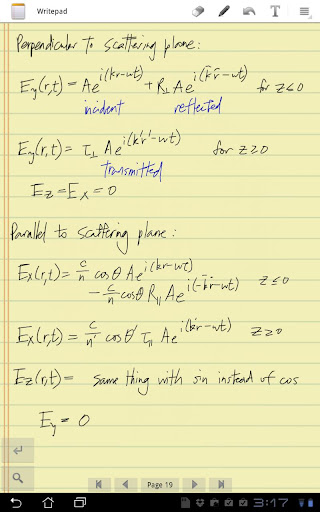
Popis: Writepad is made specifically for stylus handwriting on a tablet. Useful for math and science classes where typing isn't an option!
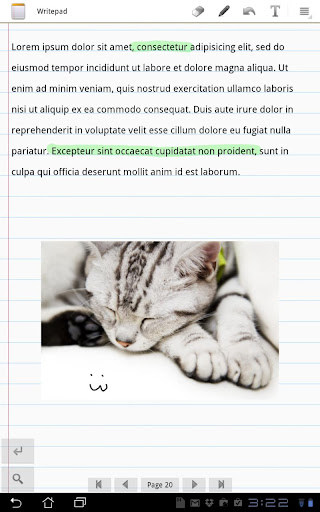
Screen:
Vice info:
Kód: Vybrat vše
https://play.google.com/store/apps/details?id=com.writepadKód: Vybrat vše
http://uloz.to/xSRhPyJ/writepad-stylus-v2-7-apk
http://www.directmirror.com/files/SEAFFUXW
http://www.embedupload.com/?d=8KWHMUFARJRequires Android 3.0+ tablet. Tested on Motorola Xoom and Asus Transformer. Make sure you have a stylus that works on your tablet first - these should have a soft rubber tip.
Galaxy 10.1 owners: You must have root on your device and use TouchScreenTune (free app that fixes your touch screen sensitivity). Otherwise the writing will lag.
Features:
Smooth writing experience: no lag and no jitter between the stylus movement and the screen response.
Smart palm detection. Only records the writing from your stylus, not your hand.
Export page and notebook: share the page as PNG file to any app (such as Evernote). Export the whole notebook as a zip file or PDF file.
Paper type: comes with four familiar paper types.
Stylus calibration: Instead of drawing where the stylus touches the screen, it will draw where you *think* the stylus tip is. Good for those thicker tip styluses.
Create and manage multiple notebooks. Just tap the icon in the upper left corner.
New features:
* Flip view. Are you accidentally hitting the android system menu all the time? I am. Now you can flip the tablet over!
* Custom pen color / size / transparency.
* Lasso erase. Draw a closed path to erase everything inside it.
* Full Zoom: hold the zoom button enables pinch zooming to any magnification.
* Typing mode. Click the T icon to start typing. Click again to go back to writing mode.
* Import images from SD card.
* Import from web. Use the mini browser to go to the site you want, then hit OK to import it to your page. Then you can draw on it.
* Auto-scroll button. Located above the zoom button - this will automatically scroll from left to right, and then to the next line.


