



(122,- Kc)
Pozadavky: Android 4.0.3 a vyssi
Popis: Remote control for the Squeezebox system. Control your SqueezeBox players from your Android device.
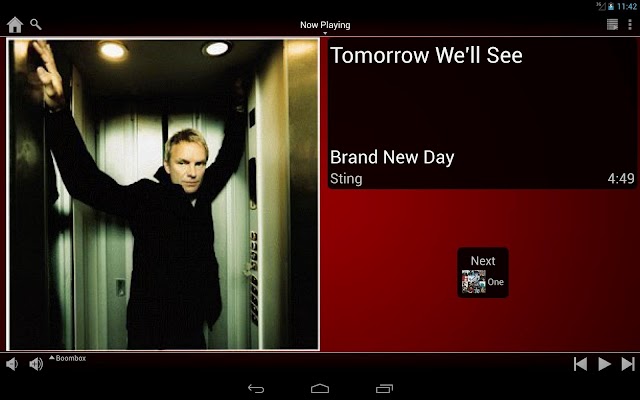
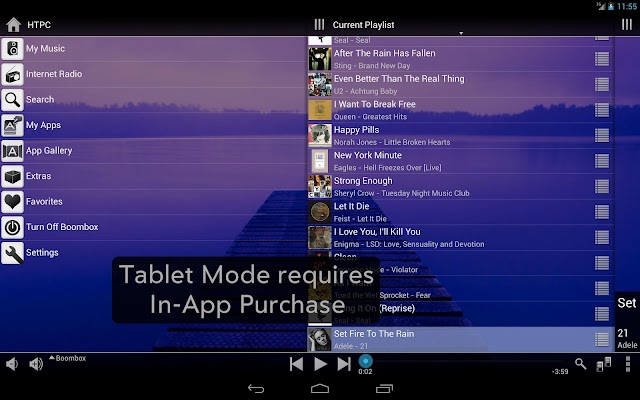
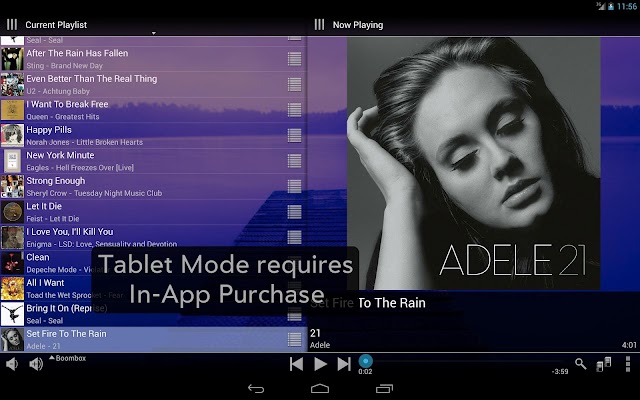
Screen:
What's in this version:
v1.3.6
Added option to send a Wake On Lan signal for a saved server.
Added ability to edit the MAC address sent to the server.
Auto size the header menu to fit the available space.
Setting a track rating for the Track Stat plugin now works.
Rotating the device no longer resets the header menu of Now Playing and Current Playlist to the main menu.
Various crash fixes.
Vice info:
Kód: Vybrat vše
https://play.google.com/store/apps/details?id=com.angrygoat.android.sqzctrlKód: Vybrat vše
http://www.tusfiles.net/tnffwryuhpny
http://hugefiles.net/55tskv9xyx1a
http://unlimitzone.com/thb6n4fofqh1/SqzCnt36.rar.html
http://www15.zippyshare.com/v/86948374/file.html
http://www.tusfiles.net/slrzb4775c61
http://uloz.to/x5ADygbe/squeeze-control-v1-3-6-apk
http://ulozto.sk/xmqQRmDH/squeeze-control-v1-3-6-apkThis app controls Squeezebox players connected to a Logitech Media Server (Squeezebox Server) or MySqueezebox.com (including the server in the SqueezeBox Touch). Replicates almost every function of a Squeezebox Controller with an interface optimize for a touch screen.
NOW AVAILABLE: Tablet Mode, requires an In-App purchase (US$1.00)
Requirements: Logitech Media Server version 7.7 or better (tested with versions up to 7.7.2). It might work with versions as old as 7.5, but it hasn't been tested. Use the latest version if you plan on using MySqueezebox.com too. A MySqueezebox.com account is required if you don't use a Squeezebox Server. You can create one from within the app or on the website. And of course Squeezebox players to control.
Features:
- Replicates almost all of the functionality of a SqueezeBox Controller, including the context menus and plugin apps.
- Incremental list loading for fast navigation through the menus.
- Works with both MySqueezebox.com and Logitech Media Server (Squeezebox Server) as the music source.
- Automatic server discovery.
- Customizable backgrounds for each player.
- Works with multiple servers, players can be switched between servers.
- Mini controls in the notification area lets you control your Squeezebox even when the app is in the background.
- Song Downloading - download songs from your server to the device.
- Player Manager for easy syncing/unsyncing of players.
- Customizable Home menu.
- Pebble Smartwatch support.
- Can pause music during a phone call.
- Support for device docks.
- App Widget (home screen and lock screen)
- Tablet Mode (requires In-App purchase)
Notes:
- For users of Samsung Galaxy S3/S4, there is a bad tip floating around about ways to speed up TouchWiz. It tells you to go into the Developer Options of your phone and setting Animator Duration Scale to Off. Please Do NOT do this. Doing so will prevent this app from functioning properly and possibly other apps too.
- This app can be quite demanding on the server compared to other controller apps and as such may not work well with a server running on a NAS. Complaints in the reviews about slowness is likely due to having the server on a NAS.
- Use a wifi connection if possible. A mobile data connection would work if the server is setup correctly, but the performance may not be acceptable.
- When connected, this app is constantly communicating with the server. If you're using a mobile data connection, this may incur a significant data usage fee.
- Tested with the SqueezeBox Receiver, Boom.


