



(39,- Kc)
Pozadavky: Android 2.3 a vyssi
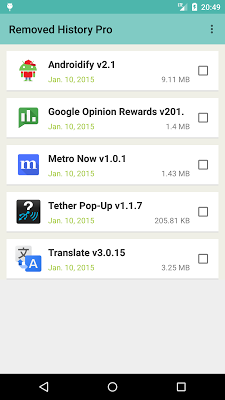
Popis: It is able to easy create list of uninstalled applications.
You don't need to do anything after installing this app.
Useful when want to reinstall.
Screen:
What's in this version:
Changed User Interface(Material Design).
Vice info:
Kód: Vybrat vše
https://play.google.com/store/apps/details?id=jp.co.kj.removehistoryproKód: Vybrat vše
http://uloz.to/x3RKaEFm/removed-history-pro-v1-4-www-4allmobile-eu-apk
http://ulozto.sk/xABf7L87/removed-history-pro-v1-4-www-4allmobile-eu-apk
https://webshare.cz/file/39bZo7Ok7i/removed-history-pro-v1-4-www-4allmobile-eu-apk
Caution!
Before install "Removed History Pro" uninstalled applications don't list up.
Added a new function !
You can create QR cord.
It is link to install application of Google Play.
It is very useful when install application to other device .
example...
When not supported OS version or device.
"I want to try that application !" when your friends said it.
etc....
Import from the free version "Removed History" will be temporary icon.
To reinstall and remove it from the list.
Temporary icon is to original icon.
- Pro version support -
List with applications icon
Export applications list to SD card(Full).
Import applications list from SD card(Full).
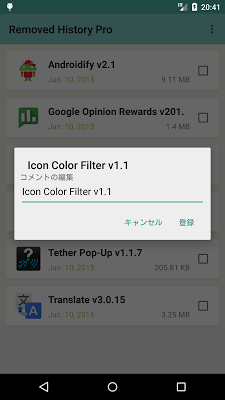
Add and edit Comment.
Removes Ad
-New-
Delete selected item
It is able to easy create list of uninstalled applications.
You don't need to do anything after installing this app.
Useful when want to reinstall.
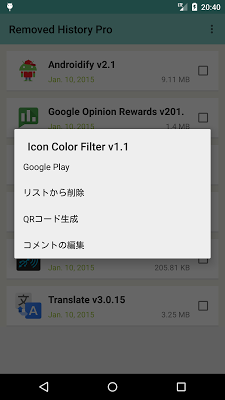
Tap and hold applications name of list.
Context menu open.
【Google Play】Direct link to Google Play, and reinstall applications.
【Delete item】Delete item of list.
【Create QR code】Create QR code.
【Edit comment】Add and edit Comment.
Tap applications name of list.
View edited comment.
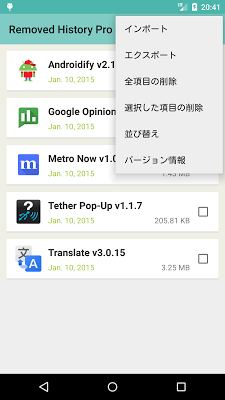
Push menu key.
Option menu open.
【Delete all items】Delete all items of list.
【Sort】Sort by applications name(Ascending/Descending) or date of uninstall(Ascending/Descending).
【Export】Export list to SD.
【Import】Import list from SD.
-New-
【Delete selected items】Delete selected items of list.


