



(69,- Kc)
Pozadavky: Android 2.1 a vyssi
Popis: iWatermark, is the only watermarking tool available for all 4 platforms Android, iPhone/iPad, Mac and Windows. iWatermark is the most advanced utility for creating watermarks and watermarking photos.
Screen:
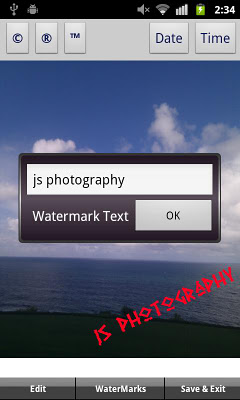
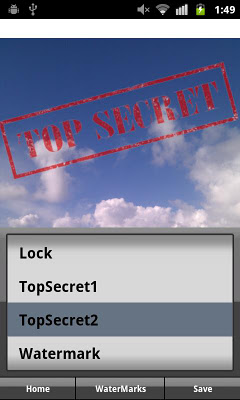
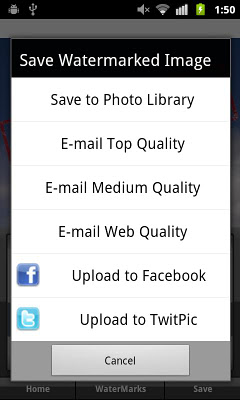
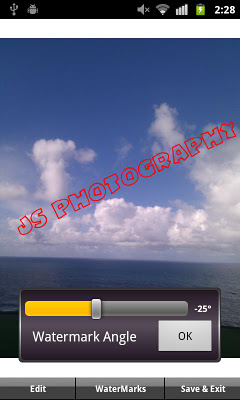
What's in this version:
- facebook upload fixed.
- fix of version 1.0.9 issue with color selector.
- more good stuff coming.
Vice info:
Kód: Vybrat vše
https://play.google.com/store/apps/details?id=com.plumamazing.iwatermarkKód: Vybrat vše
http://www.kingfiles.net/kvpoz2gpctu4/Wtrk110.rar
http://ul.to/16gbpr5h
http://hugefiles.net/qr3l2rpsu6if
http://uloz.to/xrey6pt7/iwatermark-v1-1-0-apk
http://www62.zippyshare.com/v/34326790/file.html
http://upfile.mobi/358852
http://www58.zippyshare.com/v/12725874/file.html
http://www.tusfiles.net/5jym8nvegybe
http://uloz.to/x7h8DfNX/iwatermark-v1-1-0-apk
http://ulozto.sk/xUpevcPv/iwatermark-v1-1-0-apkiWatermark, is the only watermarking tool available for all 4 platforms Android, iPhone/iPad, Mac and Windows. iWatermark is the most advanced utility for creating watermarks and watermarking photos.
Easily secure and protect your photos/art with a visible text or graphic or QR watermark. Once added to a photo this visible watermark displays your creation and ownership. Watermarking is increasingly important and like signing your name to a photo to subtly display, no matter where your photo goes, that its yours. Watermarking can also be used to add a personal message or fun graphics to any photo.
Thanks to all iWatermark users for the great reviews, feedback and suggestions. We promise as Android evolves iWatermark will evolve.
Touch is what Android is all about. With iWatermark you can:
♦ With your finger click on the watermark to move it around on the page.
♦ Create your own text or graphic watermarks or select from the included example watermarks (both text and graphics).
♦ Choose from the many fonts included for your text watermarks.
♦ Use pinch/zoom to expand/contract the size of the watermark.
♦ Touch with two fingers at once and rotate to rotate the watermark.
♦ By touch easily adjust the watermarks scale, opacity, font, color and angle.
Create your own watermark or use our included examples. Examples are both text (names, dates, etc) and graphic (signatures, logos, etc.) watermarks which can be used immediately.
Create your own text watermarks using any the Android fonts directly in iWatermark. Or you can import your own graphic watermarks to expand the range of possibilities. These can be signatures or logos which are made on your computer (which has more fonts and abilities, see FAQ below for more details) and then synched over via email and saved to the photo library.
A newer type of graphic watermark you can make directly in iWatermark is a QR code which is like a barcode. QR codes are very familiar to most Android users. QR codes can contain up to 4000 chars of information. QR codes can then be read with a scanner or smartphone with the right app revealing the info you encoded. Using QR codes as watermarks is one of iWatermarks unique and useful features.
Why Watermark?
Digitally sign your photos/artwork with iWatermark to claim, secure and maintain your intellectual property and reputation.
✔ Build your company brand, by having your company logo on all your images.
✔ Promote your company, name and website by using QR codes as watermarks.
✔ Avoid the surprise of seeing your photos and/or artwork elsewhere on the web or in an ad.
✔ Avoid the conflicts and headaches with plagiarists who claim they didn't know that you created it.
✔ Avoid the costly litigation that can be involved in these cases of misuse of ip.
✔ Avoid intellectual property squabbles.


