



Key for PLUS features Included
Pozadavky: Android 4.1 a vyssi
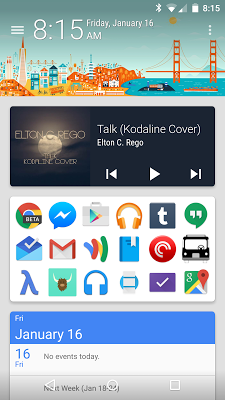
Popis: SF Launcher 2 is a complete rewrite of the original SF Launcher designed with Material Design and Android 5.0 Lollipop in mind.
Screen:
What's in this version:
2.0.2:
Alternate header styles (search bar and empty)
Widgets scroll behind header with System Wallpaper theme
Bug fixes, minor UI changes
2.0.1:
Option to hide status bar
Option to change icon size in the app drawer
2.0:
Complete rewrite and redesign
Vice info:
Kód: Vybrat vše
https://play.google.com/store/apps/details?id=com.jackthakar.sflauncherKód: Vybrat vše
http://uloz.to/xg8ezTYX/sf-launcher-2-plus-v2-0-2-4allmobile-eu-zip
http://www77.zippyshare.com/v/UOSeGoIC/file.html
https://www.tusfiles.net/ux6lofmqol6w
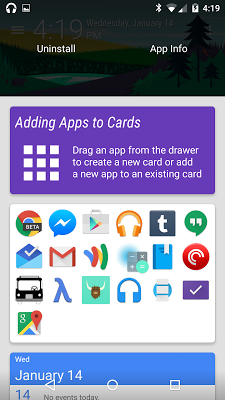
https://userscloud.com/gyigni8xkglySwipe in from the left side of the screen (or tap the button in the upper left) to reveal the app drawer. This is a list of all of your apps which you can tap to open or long press and drag to add to the card list or uninstall it. If you prefer, there’s also an option to change this list to a three-column grid in settings.
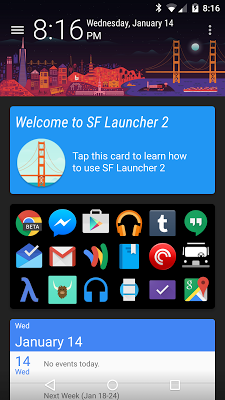
Tap the menu button in the upper right to add widgets, shortcuts, or to open settings. Once you’ve added some cards, you can swipe one from the right to reveal its options. The two arrows on the left move cards up or down, the palette in the middle allows you to change the card’s background color (plus users only), and the fourth button allows you to either adjust the height of a widget card or the number of columns in an app card. The red trash can on the far right deletes the card.
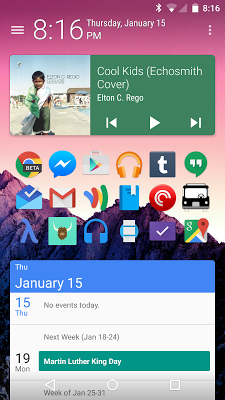
Aside from the twelve headers, all users can also select from one of five themes. Light and Dark are self explanatory, while Auto alternates between Light and Dark based on the time of day, System Wallpaper hides the app background and header to reveal your system wallpaper (which works with both static and live wallpapers), and Wallpaper with Header hides the background but leaves the cityscape at the top of the screen. As of 2.0.2, you can also select one of three header styles. In addition to the default clock and date style, there's also a search bar style (with quick links to text and voice search) and an empty style (which hides everything in the header except for the drawer button and overflow menu).
Due to all cards being contained within a scrolling list, widgets which contain a scrolling list themselves may not work properly. They should mostly scroll as intended provided the “Allow Scrolling Widgets” option is enabled in settings, but there may be some issues, particularly on 4.x. This option is disabled by default, but you can enable it in Settings > Card List.
Upgrade to SF Launcher Plus (http://play.google.com/store/apps/detai ... ncher.plus) to unlock additional features and customization options:
• Change the background color of the overall launcher and the app drawer
• Change the background color of individual cards
• Third-party icon packs
• Third-party SF Launcher themes (which can add new headers, color swatches, and background themes)
• Hide unwanted apps from the app drawer


