



(102,- Kc)
Pozadavky: Android 1.5 a vyssi
Popis: This app makes your Android phone a high quality wireless earphone for you PC. Enjoy your favorite videos without having to disturb others or restrained by the limited watch range imposed by wired earphones.
Screen:
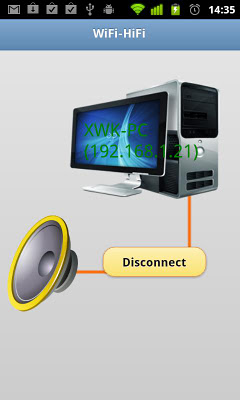
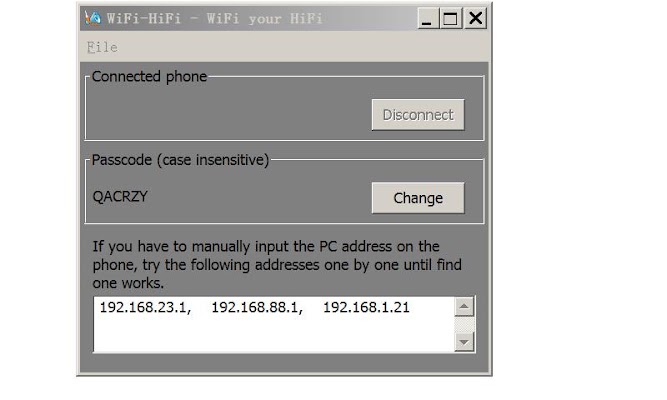
What's in this version:
1. Add support of Android 4.0
2. Fixed a memory leak problem of the PC-side module. Make sure to upgrade to the latest PC-side module version (Ver 1.4+)
3. Rename app to "Wifi-earphone"
Vice info:
Kód: Vybrat vše
https://play.google.com/store/apps/details?id=com.fourgstudio.wifihifiKód: Vybrat vše
http://uloz.to/xoFyjFxL/wifi-earphone-for-pc-v1-1-apk
https://webshare.cz/file/7ha161u85i/wifi-earphone-for-pc-v1-1-apk
https://dailyuploads.net/h7mqyg3whqbf
https://userscloud.com/1ozul68xe7vd
https://tusfiles.net/zy51dygd1jlbKód: Vybrat vše
http://www.4gstudio.com/wifi-earphone.htmlIt can also be used to route audio output of your PC wirelessly to the home audio system located far away, i.e. as a wireless audiobridge. It should be mentioned the audio is actually streamed in CD-quality digital form, so you will not suffer the distortions usually induced by long analog extension cords.
Here is a quick start instruction.
1) Install and download our accompanying PC-side module on your PC from http://wifi-earphone.4gstudio.com/. Notice that only PC running Vista/Win7 are supported so far
2) Install this app on your Android phone
3) Open the app and scan for the PC
4) When prompted, enter the passcode for your PC module
5) Now just plug a headset into your phone to enjoy it.
Or, in the case of being used as wireless audiobridge, use a 3.5mm male-to-male audio cord to connect your phone's audio headset port to your home audio system.
Notice that you need a good home wireless network coverage to enjoy the audio in full quality.


