TetherGPS
Napsal: 07. 12. 2011 22:45
TetherGPS v1.2.0
Pozadavky: Android 2.1 a vyssi
Popis: Aplikace pro sdileni GPS s jinymi zarizenimi v siti wifi ci Bluetooth
Screen:
Video:

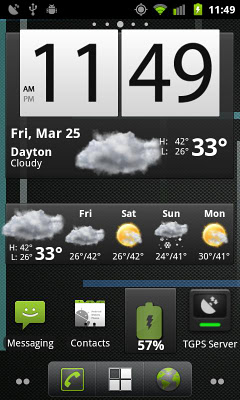
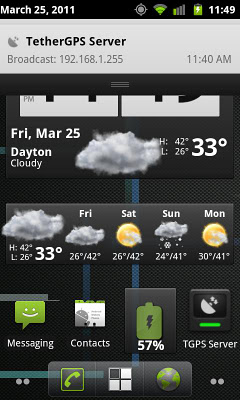
 TetherGPS can be launched by using the included 1x1 widgets, through intent broadcasts from other apps, or by using the launch buttons in the TetherGPS configuration app.
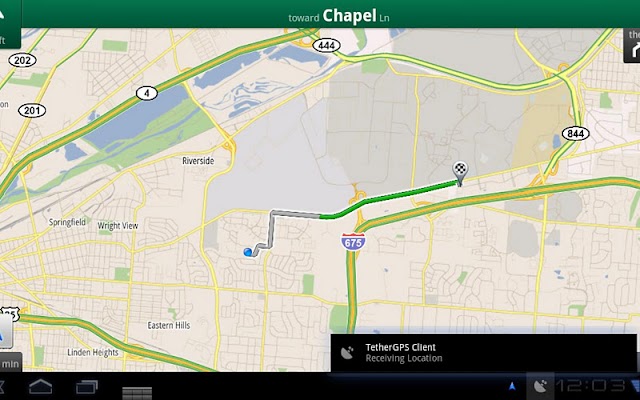
Example use - Connect your Nook Color and your HTC Evo to the same network, or tether the Nook Color to the HTC Evo with android-wifi-tether. Run TGPS Server on the HTC Evo and TGPS Client on the Nook color. The Nook Color will receive GPS data from the HTC Evo. Applications on the Nook Color such as Google Maps and Google Navigation will then work using the shared GPS data.
-Mock locations on the client device must be enabled. Settings>Applications>Development>Allow mock locations.
-GPS location must be enabled on both devices.
-Use the TGPS Client and TGPS Server widgets to enable the services.
If the widgets are not showing up in your widget list, check to make sure the application is installed on the device and not on the SD card.
If your device does not include a way to enable GPS navigation, download one of the freely available GPS toggle widgets from the Android Market.
TetherGPS uses the following intent listeners for activation by Tasker and other apps:
com.comptonsoft.TGPS.START_SERVER
com.comptonsoft.TGPS.STOP_SERVER
com.comptonsoft.TGPS.START_CLIENT
com.comptonsoft.TGPS.STOP_CLIENT
What's in this version:
v1.2.0
- TetherGPS will now send the best available location (network or gps), and indicate the type and age of the fix on the notification bar.
- Icons have been updated.
Different color icons now indicate status.
+ Gray = no connection
+ Red = very stale fix or no position
+ Yellow = stale fix
+ Blue = good fix.
Pozadavky: Android 2.1 a vyssi
Popis: Aplikace pro sdileni GPS s jinymi zarizenimi v siti wifi ci Bluetooth
Screen:
Video:
Kód: Vybrat vše
https://market.android.com/details?id=com.comptonsoft.tgpsKód: Vybrat vše
http://www.edisk.cz/stahni/22326/120TG.apk_70.54KB.html
http://www.uloz.to/11611930/120tg-apk
http://www.multiupload.com/W42XEZWGD7Example use - Connect your Nook Color and your HTC Evo to the same network, or tether the Nook Color to the HTC Evo with android-wifi-tether. Run TGPS Server on the HTC Evo and TGPS Client on the Nook color. The Nook Color will receive GPS data from the HTC Evo. Applications on the Nook Color such as Google Maps and Google Navigation will then work using the shared GPS data.
-Mock locations on the client device must be enabled. Settings>Applications>Development>Allow mock locations.
-GPS location must be enabled on both devices.
-Use the TGPS Client and TGPS Server widgets to enable the services.
If the widgets are not showing up in your widget list, check to make sure the application is installed on the device and not on the SD card.
If your device does not include a way to enable GPS navigation, download one of the freely available GPS toggle widgets from the Android Market.
TetherGPS uses the following intent listeners for activation by Tasker and other apps:
com.comptonsoft.TGPS.START_SERVER
com.comptonsoft.TGPS.STOP_SERVER
com.comptonsoft.TGPS.START_CLIENT
com.comptonsoft.TGPS.STOP_CLIENT
What's in this version:
v1.2.0
- TetherGPS will now send the best available location (network or gps), and indicate the type and age of the fix on the notification bar.
- Icons have been updated.
Different color icons now indicate status.
+ Gray = no connection
+ Red = very stale fix or no position
+ Yellow = stale fix
+ Blue = good fix.
