Quick Setting Manager Plus
Napsal: 21. 08. 2012 11:03
Quick Setting Manager Plus v1.3
Požadavky: Android 2.2+
Popis:
Your mobile life a little more easy, convenient way to help achieve.
[Function and use]
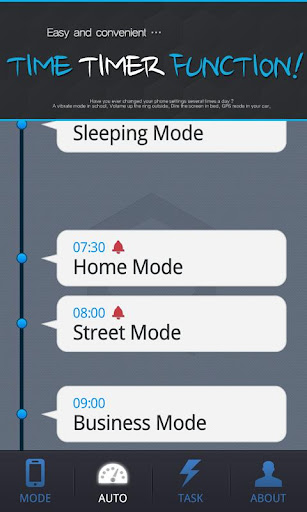
★ Contextual Save Settings
✔ When you first run the application, current phone settings tailored to their default mode.
✔ The setting in which you can store basically two modes.
✔ If you want to add more modes, SMS Friend via eopeulman Can I recommend switching to paid version.
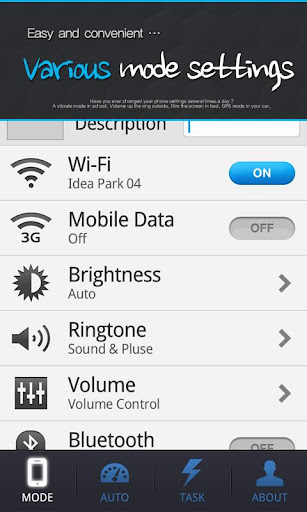
★ 7 kinds of items that can be set!
✔ 7 kinds of essential features users want an easy and comfortable setting.
(Wi-Fi, mobile data, brightness, and ringtones (whether of sound or vibration), volume, Bluetooth, GPS receiver)
✔ Wi-Fi and mobile data, Bluetooth, GPS receiver ON / OFF button easily!
✔ brightness and ring tones, adjust the volume to the detail!
★ Korean and English, the language can be set!
✔ one application within the language settings to resolve the edit button.
✔ Korean and English, because you can choose a different UI, UX and you can enjoy.
★ effective editing!
✔ were stored settings can edit and delete at any time.
✔ Touch the Edit button in the upper-left corner of the screen, you can quickly apply bwakkwin settings.
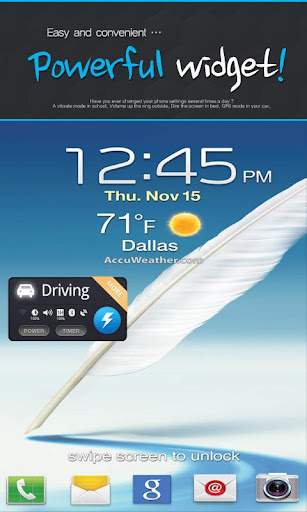
★ I'm done trying to enter applications, then widget!
✔ did not want to dirty your desktop, or even uncomfortable suggests they go to your applications, widgets and get resolved.
✔ If you install a widget list of registered settings, one touch and I can see.
✔ The settings that are currently running blue, set off the black! Can be easily determined.
Now, to ring loud and quiet in a movie theater, which may cause harm to others, let people be!
Další info:
Download:
Mirror:
Požadavky: Android 2.2+
Popis:
Your mobile life a little more easy, convenient way to help achieve.
[Function and use]
★ Contextual Save Settings
✔ When you first run the application, current phone settings tailored to their default mode.
✔ The setting in which you can store basically two modes.
✔ If you want to add more modes, SMS Friend via eopeulman Can I recommend switching to paid version.
★ 7 kinds of items that can be set!
✔ 7 kinds of essential features users want an easy and comfortable setting.
(Wi-Fi, mobile data, brightness, and ringtones (whether of sound or vibration), volume, Bluetooth, GPS receiver)
✔ Wi-Fi and mobile data, Bluetooth, GPS receiver ON / OFF button easily!
✔ brightness and ring tones, adjust the volume to the detail!
★ Korean and English, the language can be set!
✔ one application within the language settings to resolve the edit button.
✔ Korean and English, because you can choose a different UI, UX and you can enjoy.
★ effective editing!
✔ were stored settings can edit and delete at any time.
✔ Touch the Edit button in the upper-left corner of the screen, you can quickly apply bwakkwin settings.
★ I'm done trying to enter applications, then widget!
✔ did not want to dirty your desktop, or even uncomfortable suggests they go to your applications, widgets and get resolved.
✔ If you install a widget list of registered settings, one touch and I can see.
✔ The settings that are currently running blue, set off the black! Can be easily determined.
Now, to ring loud and quiet in a movie theater, which may cause harm to others, let people be!
Další info:
Kód: Vybrat vše
https://play.google.com/store/apps/details?id=com.mamp.afroDisign.qsmKód: Vybrat vše
http://www.MegaShare.com/4494420Kód: Vybrat vše
http://uploadmirrors.com/download/1JJ5MOAH/Quick_Setting_Manager_-_Plus_v1.3.apk
http://directmirror.com/files/1HKMFPEF