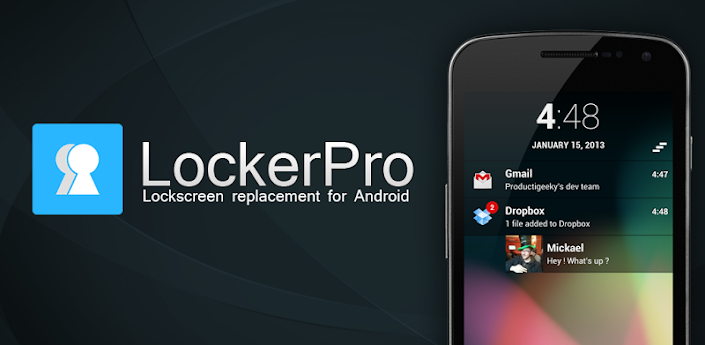
LockerPro is a lockscreen replacement providing extended notifications.
With LockerPro ( Locker Pro ) you can greatly improve the way your device displays notifications.
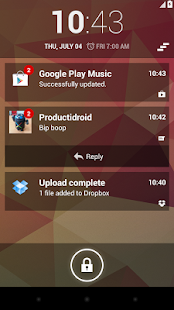
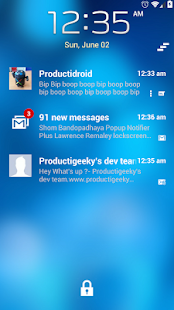
This app provides notifications on your lockscreen for any app installed on your phone.
The service :
* To work properly, LockerPro requires that you activate the accessibility service "LockerPro" (accessibility services are currently the only way to process user notifications on the Android OS).
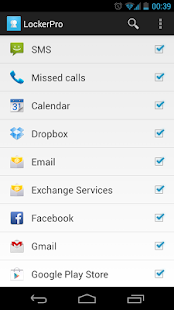
* You then have to use the "Monitoring" section to choose which apps should raise notifications, and how.
* Status bar notifications must be enabled in the monitored apps for the banners to appear properly.
How to use it :
* Swipe the notification to the right to launch it
* Swipe to the left to dismiss it
Important information :
* Note that dismissing the notification won’t remove it from the status bar (the Android OS doesn’t currently allow to manually remove 3rd party apps notifications from the status bar).
* As a default, notifications will be enabled for SMS, MMS, missed calls, GMail, Talk, WhatsApp, Facebook, Twitter, Skype, etc...
What's in this version:
Updated: Jan. 19, 2013
- PIN/Password security is now integrated to JB and iPhone locks
- Blocking system windows (recent apps, notification panel) is now an option
- Fixed a bug causing crashes when receiving a call from an unregistered number
What's in this version:
Updated: Jan. 25, 2013
- Removed music control panel
- Added widget support instead
- Fixed a bug causing FC when grouping SMS notifications
What's in this version:
Updated : Jan. 30, 2013
Added more icons to the top right of the lockscreen (Signal strength, wifi state, alarm)
Faster default unlock animation, you can now choose the animation
Added an option to choose wether to block volume buttons or not
Updated date layout to the same as Jelly Bean
What's in this version:
- Fixed a bug causing a force close when unlocking when using the auto-clear feature
- Fixed a bug causing a force close when opening the app list with low available memory on device
What's in this version:
- Now displays pictures the same way that the system notification bar does
- Added small app icon display
- Added an option to choose the default top screen to display
- Fixed phone locking again after a phone call
- Fixed Home button being enabled while using PIN/password
What's in this version:
Updated : Feb .6, 2013
Added the "Galaxy" theme
Removed some clock layouts (they didn't mix well with the rest of the lockscreen), added the "Galaxy" clock
Improved picture and icon display
A shortcut to the Talkback issue's fix for Samsung phones users has been added
What's in this version:
- Added an option to choose the screen timeout
- Added an option to choose the time format
- Added an option to choose the date format
- Added an option to block clicks on the widget panel
- Added an animation of the Jelly Bean unlock when turning the screen on
- Bug fixes
What's in this version:
- Updated the Galaxy clock theme
- Added an information dialog when multiple accessibility services are active (if you have trouble getting notifications from 3rd party apps, disable the other accessibility services)
- Added experimental support for WhatsApp and Line messages
- Added a filter option to filter notifications containing defined words
- Added a privacy option with the possibility to hide the content of the notification