Assignment Planner PRO
Napsal: 25. 10. 2012 19:46
Assignment Planner PRO v2.2.4
(30,- Kc)
Pozadavky: Android 2.1 a vyssi
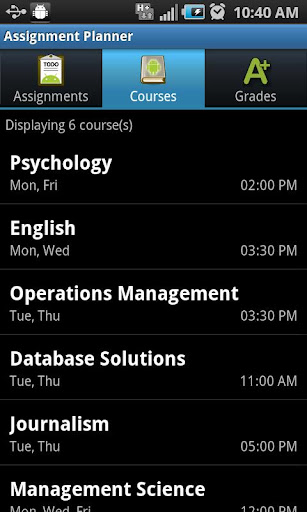
Popis: Never miss a due date again! Keep track of assignments, homework, projects, courses, classes and grades
Screen:
Vice info:
Stahuj zde:
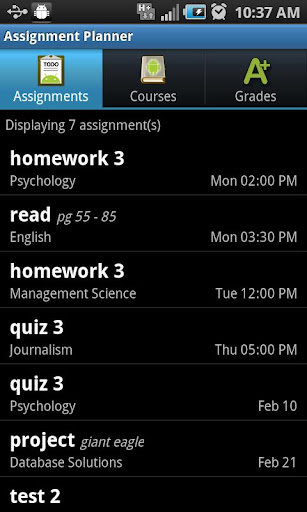
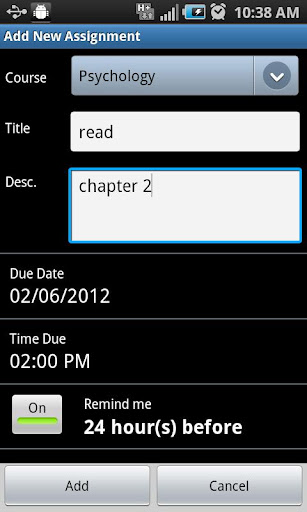
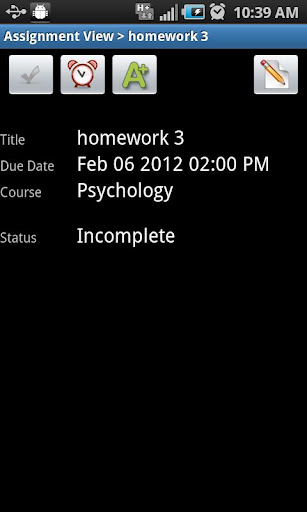
Never miss a due date again! Keep track of assignments, homework, projects, courses, classes and grades. Sort assignments by due date or course, set reminders to notify you when a due date is near, then mark them completed when you’re finished. Keep track of grades and your GPA! Simply the most intuitive and user friendly Assignment Planner on the market! Become the stellar student you always wanted to be. Stay organized and on top! Use the ad supported FREE version or upgrade to the ad free PRO version.
********
To transfer data from the FREE version to the PRO version:
1. Open up the FREE application and go to the "Settings" page.
2. Click "Export to SD Card" and click "Export" when the dialog appears. This will overwrite any previously backed up data. This includes any back up data from the FREE or PRO version! They both use the same directory on the SD Card.
3. After seeing an "Export Successful!" toast, open up the PRO version of Assignment Planner.
4. In the "Settings" page click "Import for SD Card" and click the "Import" button. WARNING: This will OVERWRITE all current assignments, courses, and grades and imports all data from the backup. This is strongly discouraged if you have already entered a lot of data into the PRO version.
5. After seeing an "Import Successful!" toast, your data has been imported successfully!
(30,- Kc)
Pozadavky: Android 2.1 a vyssi
Popis: Never miss a due date again! Keep track of assignments, homework, projects, courses, classes and grades
Screen:
Vice info:
Kód: Vybrat vše
https://play.google.com/store/apps/details?id=gene.android.paidKód: Vybrat vše
http://uloz.to/x1W3Vi2/assignment-planner-pro-v2-2-4-apk
http://www.directmirror.com/files/1LB1IKZF
http://www.embedupload.com/?d=4ILZL0GQMQ********
To transfer data from the FREE version to the PRO version:
1. Open up the FREE application and go to the "Settings" page.
2. Click "Export to SD Card" and click "Export" when the dialog appears. This will overwrite any previously backed up data. This includes any back up data from the FREE or PRO version! They both use the same directory on the SD Card.
3. After seeing an "Export Successful!" toast, open up the PRO version of Assignment Planner.
4. In the "Settings" page click "Import for SD Card" and click the "Import" button. WARNING: This will OVERWRITE all current assignments, courses, and grades and imports all data from the backup. This is strongly discouraged if you have already entered a lot of data into the PRO version.
5. After seeing an "Import Successful!" toast, your data has been imported successfully!