WiFi Barcode Scanner
Napsal: 14. 11. 2012 07:07
WiFi Barcode Scanner v1.0.11
(25,- Kc)
Pozadavky: Android 2.1 a vyssi
Popis: Turn your phone into a wireless barcode scanner!
Literally any OS is supported: Windows, Mac and Linux.
Scanned barcodes will be sent to your computer using the common VNC protocol.
Screen:
Vice info:
Stahuj zde:
For Windows and Linux:
Download and install any VNC server on your computer. For example: UltraVNC, RealVNC or TightVNC.
You just need to install the server part (silent server) and register as a system service.
Set your VNC Password.
If you are running VNC only to serve WiFi Barcode Scanner you might want to disable "Remove Aero (Vista)", "Remove Wallpapers for Windows" and enable "Capture Alpha-Blending" to prevent blinking of screen when connecting to the server.
For Mac OS X:
Open "System preferences" - "Sharing".
Check pane "Screen sharing".
Click "Computer Settings..." and set your password.
On your phone:
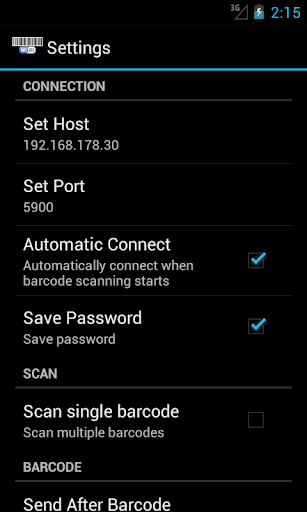
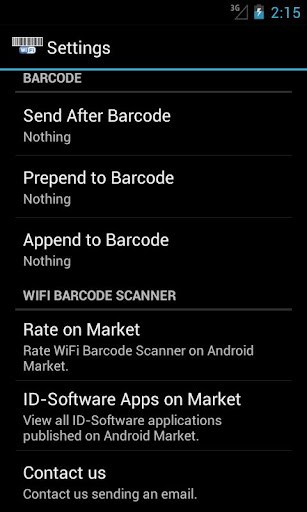
Set your vnc server host and port using settings menu.
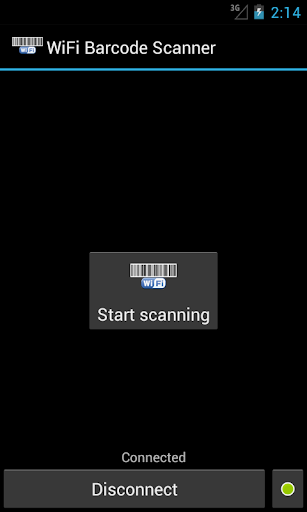
If you choose to automatically connect just press "Start scanning" button. Otherwise first press "Connect" button to connect to your vnc server.
Every scanned barcode will be sent to your vnc server immediately.
Troubleshooting tips:
- Make sure VNC is installed correctly and no firewall is blocking connection requests on port 5900. If you used the installer there should be already a Windows firewall rule.
- Check if VNC can be reached by your phone. PC and phone must be on the same network. Otherwise you have to add port forwarding rules to your router.
- Make sure you did not enable "Disable Viewers inputs" in your VNC servcer configuration.
- MacOSX Lion: Some customers reported problems with sending the barcode. You can use an alternative vnc server like "Vine Server (OSXvnc)" or "Chicken of the VNC"
How to check ip addresses:
- PC: hoover the mouse over VNC tray icon and your PC ip address will be shown in a tooltip.
- Phone: Settings -> Wireless & networks -> Wi-Fi Settings -> your connection will be listed under Wi-Fi networks
(25,- Kc)
Pozadavky: Android 2.1 a vyssi
Popis: Turn your phone into a wireless barcode scanner!
Literally any OS is supported: Windows, Mac and Linux.
Scanned barcodes will be sent to your computer using the common VNC protocol.
Screen:
Vice info:
Kód: Vybrat vše
https://play.google.com/store/apps/details?id=at.idsoftware.barcodeKód: Vybrat vše
http://uloz.to/xqKm2Cg/wifi-barcode-scanner-v1-0-11-apk
http://www.directmirror.com/files/1TNZ0PIO
http://www.embedupload.com/?d=6TMZKAEUCDDownload and install any VNC server on your computer. For example: UltraVNC, RealVNC or TightVNC.
You just need to install the server part (silent server) and register as a system service.
Set your VNC Password.
If you are running VNC only to serve WiFi Barcode Scanner you might want to disable "Remove Aero (Vista)", "Remove Wallpapers for Windows" and enable "Capture Alpha-Blending" to prevent blinking of screen when connecting to the server.
For Mac OS X:
Open "System preferences" - "Sharing".
Check pane "Screen sharing".
Click "Computer Settings..." and set your password.
On your phone:
Set your vnc server host and port using settings menu.
If you choose to automatically connect just press "Start scanning" button. Otherwise first press "Connect" button to connect to your vnc server.
Every scanned barcode will be sent to your vnc server immediately.
Troubleshooting tips:
- Make sure VNC is installed correctly and no firewall is blocking connection requests on port 5900. If you used the installer there should be already a Windows firewall rule.
- Check if VNC can be reached by your phone. PC and phone must be on the same network. Otherwise you have to add port forwarding rules to your router.
- Make sure you did not enable "Disable Viewers inputs" in your VNC servcer configuration.
- MacOSX Lion: Some customers reported problems with sending the barcode. You can use an alternative vnc server like "Vine Server (OSXvnc)"
Kód: Vybrat vše
http://sourceforge.net/projects/osxvnc/Kód: Vybrat vše
http://sourceforge.net/projects/cotvnc/- PC: hoover the mouse over VNC tray icon and your PC ip address will be shown in a tooltip.
- Phone: Settings -> Wireless & networks -> Wi-Fi Settings -> your connection will be listed under Wi-Fi networks