



(61,- Kc)
Pozadavky: Android 2.2 a vyssi
Popis: Hide pictures securely and conveniently in Photo Locker Pro! - The ultimate app for hiding pictures on Android.
Screen:

Video:
What's in this version:
1. Fixed issue on unable to use 8 digits as password
2. Improved Performance and Responsiveness.
3. Fixed button getting cut off on smaller devices
4. Fixed Various Forced Close issues.
Vice info:
Kód: Vybrat vše
https://play.google.com/store/apps/details?id=com.handyapps.photoLocker10Kód: Vybrat vše
http://uloz.to/xeTSPcb/photo-locker-pro-v1-0-2-apk
http://www.directmirror.com/files/PJLJYL42
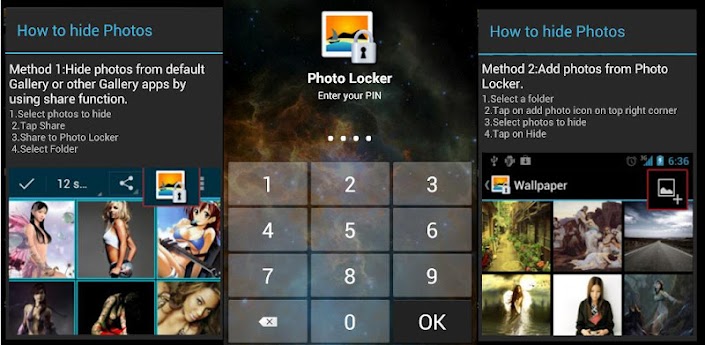
http://www.embedupload.com/?d=3ZFGYMCZMZPhotos from your Android gallery can be safely locked away inside Photo Locker and accessible only via a secret PIN code.
Additionally, with Stealth Mode turned on, the Photo Locker app itself can be made invisible and accessible only by dialing your PIN code.
Also, with Stealth Mode enabled, you can access Photo Locker Pro via a Calculator Widget. Key in your PIN code using the calculator widget and tap on the number display to access your Photo Locker! This is useful if you wish to enable Stealth Mode for Photo Locker Pro on a tablet (which has no calling capability).
Key features include:
1)Encryption - hidden photos are not only moved to a secret location but are also encrypted using advanced 128bit AES encryption. This means that even if someone manage to steal your SD card and copy the image files, they will still be unable to view the photos
2)User friendly operation - Easily hide photos via default gallery or from within Photo Locker itself.
3)Bulk hide - hide hundreds of photos at once
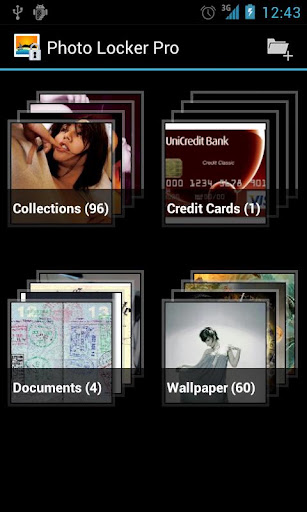
4)Folder level locking - lock individual hidden albums
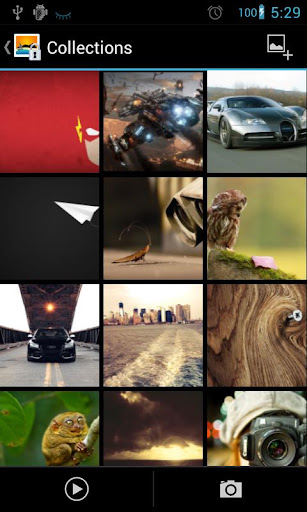
5)Zoom in and out of hidden photos with multi-touch. Hidden photos maintain their original resolution and are not scaled down as in some other photo hiding apps.
6)Rotate hidden pictures left and right
7)Slideshow - Slideshow viewing mode available with customizable delay setting
8)Removed from recent app list - Photo Locker App will not appear in 'recent apps' list
9)Lock on sleep - If you forgot to exit the Photo Locker, the app will lockout as soon as your phone goes to sleep mode.
10)Tablet optimized - Photo Locker's UI has been designed with tablets in mind as well so as to provide the ultimate viewing pleasure on both Android smart phones and tablets
11)PIN recovery - With the optional PIN recovery feature, you won't lose your precious files even if you forgot your PIN code.
12)Easy Un-hide - Un-hide photos just as easily as hiding them and you can decide where the un-hidden photos go.


