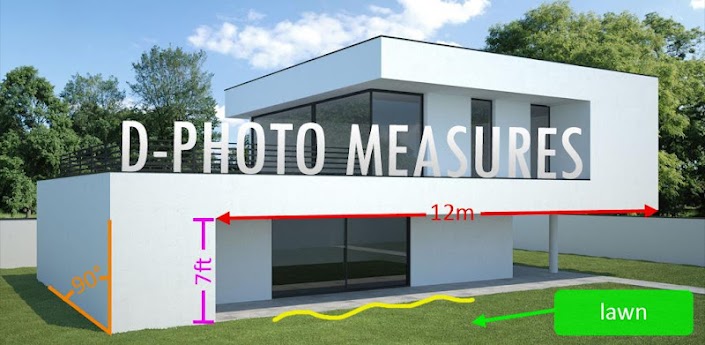
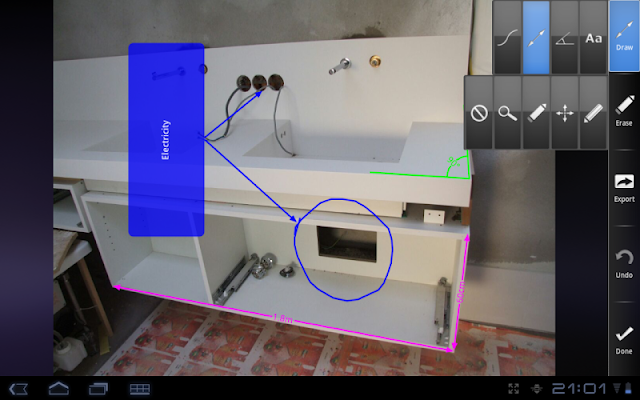
Draw measures and dimensions on photos and share the result with others.
D-Measures has evolved into D-Photo Measures. It's not just a new name and a new icon. With the new zoom feature will allow you to draw even more easily when objects are close to each other.
This powerfull application let's you draw measures and dimensions on a photo. After photos are marked up with measurements, they can be send to anyone, or exported to the media gallery. Remember that a picture is worth a thousand words.
An indispensible tool for construction workers, engineers, architects, carpenters, real estate agents, auction sellers, ...
------------- Sketch -------------
- Use a photo from the media library of your phone or take a new photo with the camera.
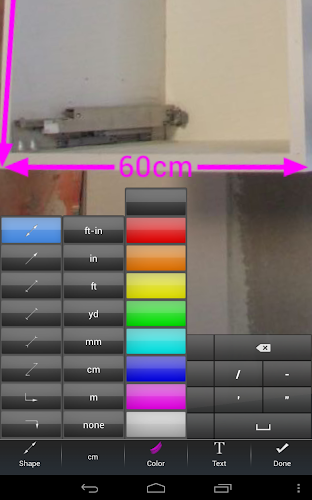
- Dimension arrows: 5 types.
- Angles
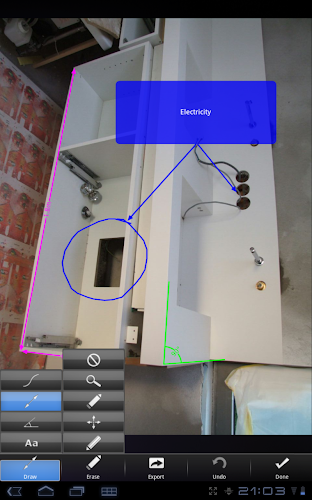
- Text boxes to point out details.
- Draw free-hand annotations.
- Metric and imperial units: m, cm, mm, yd, ft, in and ft-in.
- Different colors for arrows, angles and text boxes. Use the color that's the most visible on the picture or use a specific color for specific purposes.
- Graphical indication of the dimension that will be moved, edited or erased.
- Zoom function to work more precise.
------------- Organize -------------
- Custom photo names.
By default, the photos are named for the current date and time. Long-press the photo to pop up the context menu that allows you to rename the photo.
- Folders.
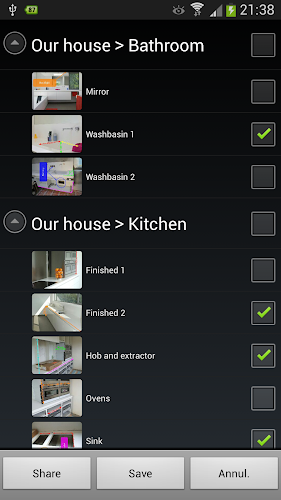
Organize your drawings to folders to keep an overview by project, customer or location.
------------- Share -------------
- Share full size photos with measures and dimensions.
- Share multiple drawings and folders with one click.
What's in this version:
Updated: Feb. 3, 2013
- Share/Save drawings to PDF
- Caching of license check result to allow users to use the app without internet access.
- Russian localization (translated by chuk-75 and mas-slon)
What's in this version:
Version 3.3.0
- Undo/Redo functionality
- Send photos to D-Photo Measures from other applications that allow you to share photos, like the Gallery app, and edit them right away.
- Bugfixes for PDF generation.
What's in this version:
Version 3.5.1
Bugfix: menu of main screen wasn't accessible on tablets with Android 3+.
Version 3.5.0
Bugfixes:
- Import of backup with sub folders
New Features:
- Save drawings to external SD card.
- Spanish localisation.
- Chinese (simplified) localisation.
What's in this version:
Version 3.6.0
New features:
- Copy of drawings and folders. In the main screen, long press the drawing or folder and select \'Copy\' from the context menu.
What's in this version:
D-Photo Measures has been renamed to IMAGinE Measures due to trade-mark issues.
Version 3.7.0
New features:
- Option to generate one PDF per folder containing all selected photos of that folder.
Bug fixes:
- Export, share and save on Android 4.4+.
Version 3.6.0
New features:
- Copy of drawings and folders. In the main screen, long press the drawing or folder and select \'Copy\' from the context menu.
What's in this version:
D-Photo Measures has been renamed to IMAGinE Measures due to trade-mark issues.
Version 3.8.0
New features:
- New option to drop shadow on dimensions.
- New preference to set PDF image quality.
Bug fixes:
- Also generate one PDF per folder containing all selected photos of that folder when sharing the PDF file.
What's in this version:
Version 3.8.1
Bugfixes:
- Restore data from SD failed on some devices.
Version 3.8.0
New features:
- New option to drop shadow on dimensions.
- New preference to set PDF image quality.
Bug fixes:
- Also generate one PDF per folder containing all selected photos of that folder when sharing the PDF file.