MSX.emu
Napsal: 31. 12. 2012 10:49
MSX.emu v1.5.5
(151,- Kc)
Pozadavky: Android dle zarizeni
Popis: Emulate the classic MSX computer & Colecovision console on your Android device
Advanced MSX/ColecoVision emulator based on BlueMSX with support for the original hardware up to the TurboR.
Screen:
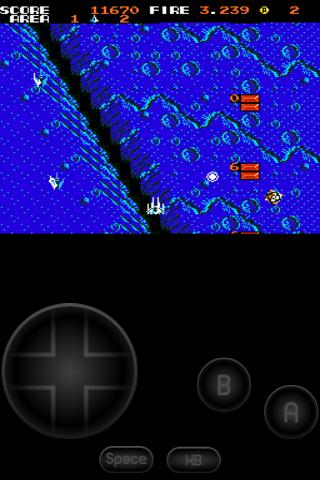
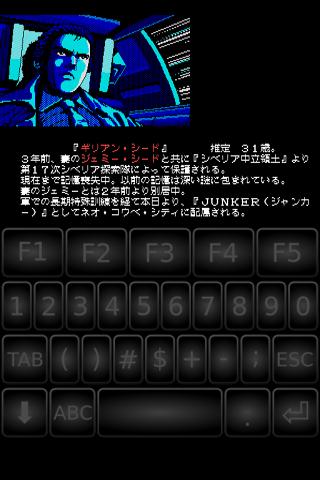
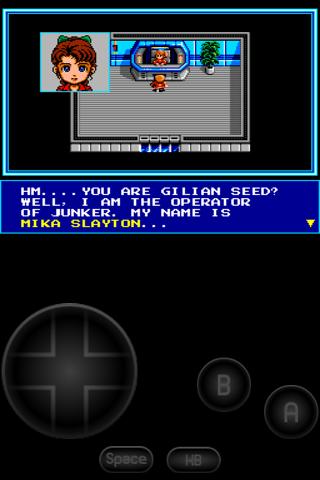
Video:
What's in this version:
* Fix blank screen on Adreno GPUs when Fast CPU->GPU Copy is on
* Remember previous rom path when selecting a save or BIOS path
* Various device-specific crash fixes
* Input latency fix for devices like R800i Xperia Play
Vice info:
Stahuj zde:
Emulate the classic MSX computer & Colecovision console on your Android device
Advanced MSX/ColecoVision emulator based on BlueMSX with support for the original hardware up to the TurboR. Future updates will add support for the Sega SG-1000. The majority of BlueMSX features required to run most games are already supported with more coming soon (tape support, improved on-screen keyboard, etc). Please verify your games/programs run on the PC version if you're unsure about purchasing, and feel free to email me with any questions.
Note: Additional MSX system files are required to use the app with floppy disk images. A BIOS is needed if emulating ColecoVision. See the website for setup instructions.
Features include:
* Supports ROM (.rom, .mx1, .mx2, .col) and Disk (.dsk) programs, optionally in zip files
* SCC and FM sound support
* Internal SRAM and save state support, auto-save and ten manual slots for save states.
* Configurable on-screen multi-touch controls & keyboard support, and an Xperia Play optimized button layout
* Multiplayer-capable Wiimote + Classic Controller, iControlPad, and Zeemote JS1 support, also works with any generic Bluetooth/USB gamepad supported by Android (for 2-player games like Salamander)
* Portrait/Landscape auto-orientation support
No ROMs are included with this app and must be supplied by the user. Transfer games anywhere to your internal storage/SD card and browse to them from within the app (default SD card directory is /mnt/sdcard).
(151,- Kc)
Pozadavky: Android dle zarizeni
Popis: Emulate the classic MSX computer & Colecovision console on your Android device
Advanced MSX/ColecoVision emulator based on BlueMSX with support for the original hardware up to the TurboR.
Screen:
Video:
What's in this version:
* Fix blank screen on Adreno GPUs when Fast CPU->GPU Copy is on
* Remember previous rom path when selecting a save or BIOS path
* Various device-specific crash fixes
* Input latency fix for devices like R800i Xperia Play
Vice info:
Kód: Vybrat vše
https://play.google.com/store/apps/details?id=com.explusalpha.MsxEmuKód: Vybrat vše
http://uloz.to/xdX1pkf/msx-emu-v1-5-5-apk
http://www20.zippyshare.com/v/95142018/file.html
http://www.directmirror.com/files/1CRFZQJAAdvanced MSX/ColecoVision emulator based on BlueMSX with support for the original hardware up to the TurboR. Future updates will add support for the Sega SG-1000. The majority of BlueMSX features required to run most games are already supported with more coming soon (tape support, improved on-screen keyboard, etc). Please verify your games/programs run on the PC version if you're unsure about purchasing, and feel free to email me with any questions.
Note: Additional MSX system files are required to use the app with floppy disk images. A BIOS is needed if emulating ColecoVision. See the website for setup instructions.
Features include:
* Supports ROM (.rom, .mx1, .mx2, .col) and Disk (.dsk) programs, optionally in zip files
* SCC and FM sound support
* Internal SRAM and save state support, auto-save and ten manual slots for save states.
* Configurable on-screen multi-touch controls & keyboard support, and an Xperia Play optimized button layout
* Multiplayer-capable Wiimote + Classic Controller, iControlPad, and Zeemote JS1 support, also works with any generic Bluetooth/USB gamepad supported by Android (for 2-player games like Salamander)
* Portrait/Landscape auto-orientation support
No ROMs are included with this app and must be supplied by the user. Transfer games anywhere to your internal storage/SD card and browse to them from within the app (default SD card directory is /mnt/sdcard).