(57,-Kc)
Pozadavky: Android 1,6 a vyssi
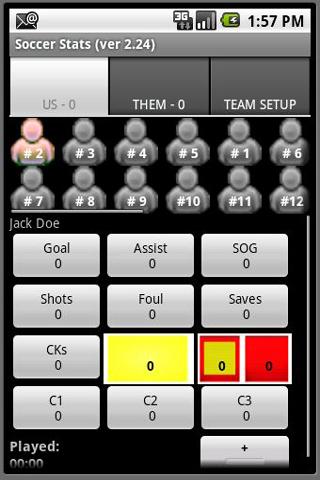
Popis: This soccer stats application will track the following stats on up to 25 players per team:
Goals, Assists, Shots on Goal (SOG), Shots, Fouls, Cards, Corner Kicks (CK) and Saves. 3 customizable buttons for defining your own stats.
Screen:
What's in this version:
ver 2.55 - Corrects some translations; Adds ability to post all buttons to Facebook/Twitter/Event Log
ver 2.54 - Addresses Reset Timer Button issue; Adds exit confirmation message; Adds Team Name to event post;
ver 2.53 - Makes buttons size dynamically to better fit different screen resolutions. To turn off feature, uncheck dynamic buttons in settings and restart the APP.
ver 2.52 - Adds 3 additional custom buttons
ver 2.51 - Corrects issue with Posting Assists
Vice info:
Kód: Vybrat vše
https://play.google.com/store/apps/details?id=com.hayava.android.soccerKód: Vybrat vše
http://uloz.to/xuRS2CT/soccer-stats-apk
http://www55.zippyshare.com/v/25261245/file.html
http://www.directmirror.com/files/1TAIXYVB
This soccer stats application will track the following stats on up to 25 players per team:
Goals, Assists, Shots on Goal (SOG), Shots, Fouls, Cards, Corner Kicks (CK) and Saves. 3 customizable buttons for defining your own stats.
- New FACEBOOK feature: allows posting to personal page or any other page you manage (works best with wifi or 4g).
- Display Player names under Player Icons.
- Ability to produce MaxPreps file for uploading to the site.
- Ability to import/export Team Roster files.
**Set Portrait or Landscape display mode in the Preferences
- Ability to rename buttons CKs, Saves, C1, C2 and C3
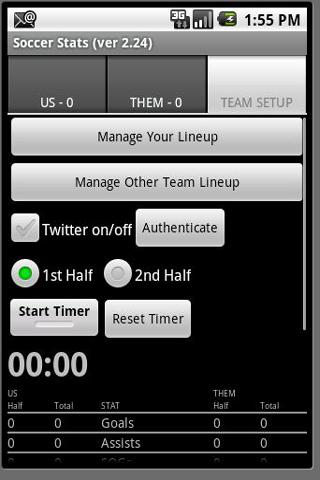
- ability to automatically Tweet Game Events via Twitter (see below for setup)
Long Click on Player ICONs to sub IN/OUT quickly. See all 11 players on the screen for quick/easy awarding of stats.
It will also track the amount of time a player plays in the game.
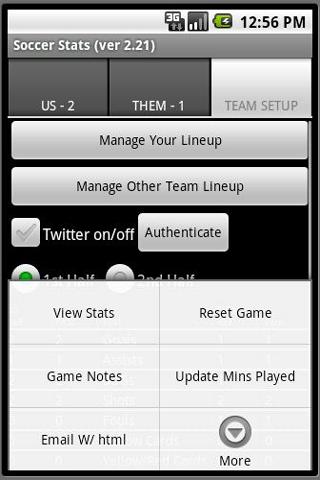
All player's stats can be viewed by clicking the menu button and selecting VIEW STATS.
Team Stats are displayed by Half/Total on the Team Setup Tab and are included in email body.
You can email the player's stats to anyone as a CSV or HTML attachment.
You can save the Game Results locally for loading / viewing / emailing at a later time.
Stats are auto-saved if you leave the game accidentally by hitting the return key and they are reloaded when you re-enter the App.
For Twitter:
- 1st Authenticate the Application to use Twitter
- Twitter browser will display for you to login and approve
- Twitter redirects back to APP after approval
- Authenticate button will disappear
- Check on the Twitter Checkbox
- From MENU - See Twitter Settings to select Game Events to Tweet. Goals and Game Notes are on by default
- Return from Twitter Settings by using the RETURN ARROW on your phone.
- Take stats as normal and selected Game Events will be posted to Twitter.
- Settings are automatically saved for next use of App