Carbon (Premium) - App Sync and Backup
Napsal: 31. 01. 2013 22:30
Carbon (Premium) - App Sync and Backup v1.0.2.0
Požadavky: Android 4.0+
Popis:
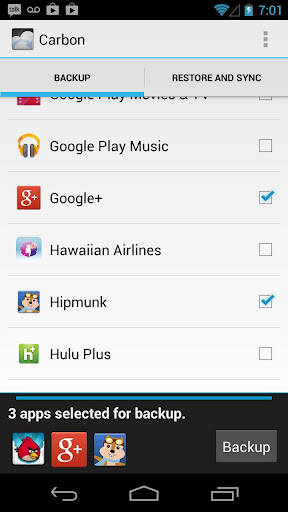
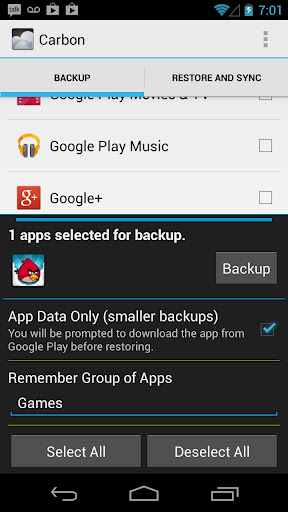
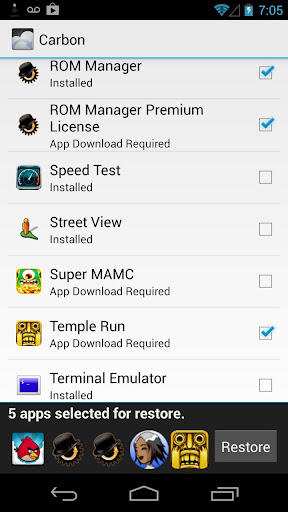
Carbon is the missing app sync and backup solution for Android.
Carbon does NOT require root. All Android users can use Carbon to backup and sync Android applications.
Carbon lets you backup your apps and data to your SD card or cloud storage.
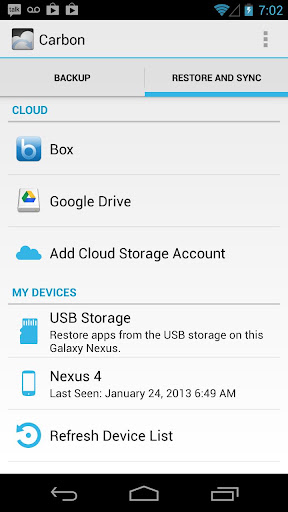
With Carbon, you can sync app data from your other Android devices- even if they are not on the same network.
Set up backup schedules with Carbon, and never lose data again.
Carbon Setup
1. Install Carbon on Android
a) Root user? You're done!
2. Install and run Carbon Desktop (link below)
a) Windows users must install their Android drivers as well
3. Connect Android to computer.
a) You may need to set your USB Connection Mode to "PTP". (Nexus 7, Nexus 10, etc)
4. Carbon on Android should now be enabled.
Carbon (Free) features:
Backup and restore to SD card
Backup and restore from PC
Carbon (Premium) features:
No ads
Automatic Backup schedules
Android to Android sync
Cloud backup and restore
* Dropbox
* Box
* Google Drive
Note: Carbon is NOT available to Motorola devices.
Carbon Desktop Installer (non-rooted users):
No premium key needed!!
What's in this version:
Updated: Jan. 31, 2013
Provide a tutorial/hint for swiping up to expose Select All.
Fix bug with app ignoring.
Add help around switching to PTP mode on some devices (Nexus 7 and Nexus 10, etc)
Check for multiuser mode, and make sure the current user is the device admin.
Fix wifi interface not detected bug on note 2 (I hope).
Fix bug where Box backups could not be deleted.
Další info:
Download:
Mirror:
Požadavky: Android 4.0+
Popis:
Carbon is the missing app sync and backup solution for Android.
Carbon does NOT require root. All Android users can use Carbon to backup and sync Android applications.
Carbon lets you backup your apps and data to your SD card or cloud storage.
With Carbon, you can sync app data from your other Android devices- even if they are not on the same network.
Set up backup schedules with Carbon, and never lose data again.
Carbon Setup
1. Install Carbon on Android
a) Root user? You're done!
2. Install and run Carbon Desktop (link below)
a) Windows users must install their Android drivers as well
3. Connect Android to computer.
a) You may need to set your USB Connection Mode to "PTP". (Nexus 7, Nexus 10, etc)
4. Carbon on Android should now be enabled.
Carbon (Free) features:
Backup and restore to SD card
Backup and restore from PC
Carbon (Premium) features:
No ads
Automatic Backup schedules
Android to Android sync
Cloud backup and restore
* Dropbox
* Box
* Google Drive
Note: Carbon is NOT available to Motorola devices.
Carbon Desktop Installer (non-rooted users):
Kód: Vybrat vše
http://www.clockworkmod.com/carbonWhat's in this version:
Updated: Jan. 31, 2013
Provide a tutorial/hint for swiping up to expose Select All.
Fix bug with app ignoring.
Add help around switching to PTP mode on some devices (Nexus 7 and Nexus 10, etc)
Check for multiuser mode, and make sure the current user is the device admin.
Fix wifi interface not detected bug on note 2 (I hope).
Fix bug where Box backups could not be deleted.
Další info:
Kód: Vybrat vše
https://play.google.com/store/apps/details?id=com.koushikdutta.backupKód: Vybrat vše
http://www23.zippyshare.com/v/91176632/file.htmlKód: Vybrat vše
http://www.embedupload.com/?d=9QSYNCHBHG
http://directmirror.com/files/BIWMZGQL
http://uloz.to/xUpinHv/carbon-premium-v1-0-2-0-apk