Week Calendar
Napsal: 23. 05. 2013 20:09
Week Calendar v1.0.2
(50,- Kc)
Pozadavky: Android 2.3 a vyssi
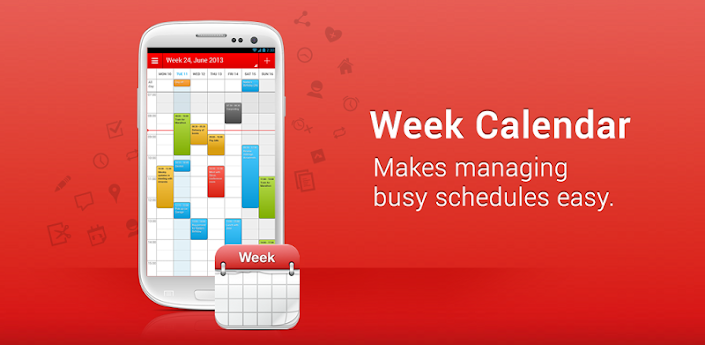
Popis: Week Calendar is the most user friendly and all-round calendar app worldwide for everyone that needs to manage a busy schedule. Week Calendar works without setup using the Exchange, Google and other calendars you have configured on your Android device.
Screen:
Video:
What's in this version:
Fixed: not being able to open Week Calendar with a Widget click
Fixed a number of stability issues
Vice info:
Stahuj zde:
★★ GET THE NO 1. IPHONE CALENDAR APP ON YOUR ANDROID DEVICE ★★
Week Calendar is the most user friendly and all-round calendar app worldwide for everyone that needs to manage a busy schedule. Week Calendar works without setup using the Exchange, Google and other calendars you have configured on your Android device.
★ FAST AND EASY TO USE
You're too busy to spend a lot of time managing your schedule. That's why adding, repeating and moving events is made easy in Week Calendar. With its magnificent interface and intuitive usability, working with Week Calendar is a pleasure for both casual as extensive professional users.
★ CALENDAR OVERVIEW
Week Calendar provides a clear and detailed overview based on day, week, (mini)month or year level. Set one or more calendars to display simulteaous, each with it's own color, to easily sync work, home and project schedules.
★ PACKED WITH USEFUL FUNCTIONS
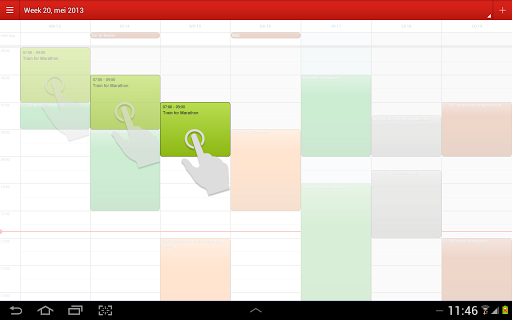
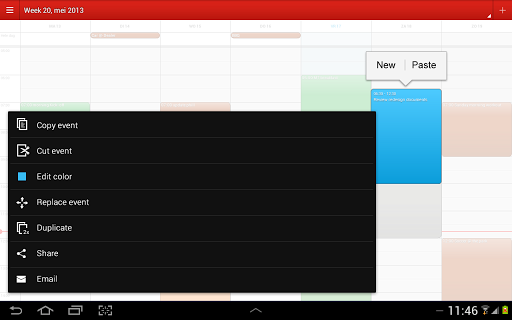
Move your appointments by simply dragging, copying and pasting. Clear up a busy schedule by assigning different colours or Emoji's/icons to your appointments and events. Powerful reminder functions make sure you’ll always remember your events. Customize week numbers and many other functions to suit your own personal needs.
★ ENHANCE YOUR CALENDAR WITH HOLIDAYS, SPORTS AND OTHER EVENTS
Visit our Calendar Store to add additional subscriptions to sports games, national holidays and more to your calendar. Accidentally scheduling an appointment on your free day now belongs to the past!
★ MOST IMPORTANT FEATURES:
- Magnificent overview of your appointments and events in day, week, month and year view
- Simply reschedule or copy/paste events using drag and drop
- Homescreen widget for fast calendar access
- Assign emoji's/icons to your events
- Event templates for events you often create
- Works without setup for all calendars on your Android device (Exchange, Outlook, Google, Facebook, etc)
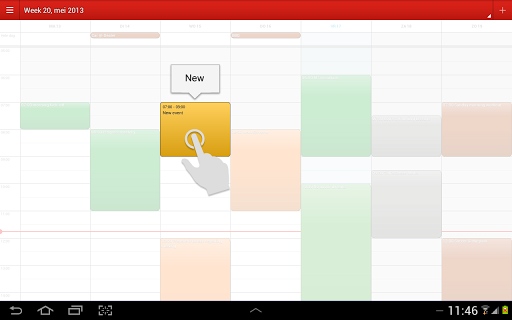
- Quickly add events on the right time using tap-and-hold
- Pinch to zoom for a perfect fit in your screen
- Link contacts to events
- Advanced repetition rules
- Invite participants/ share appointments and events by e-mail
- Time zone support for people who travel
- Adaptable week numbers
- Hide weekends when there are no appointments
- Customizable action menu for easy access to often used functions
(50,- Kc)
Pozadavky: Android 2.3 a vyssi
Popis: Week Calendar is the most user friendly and all-round calendar app worldwide for everyone that needs to manage a busy schedule. Week Calendar works without setup using the Exchange, Google and other calendars you have configured on your Android device.
Screen:
Video:
What's in this version:
Fixed: not being able to open Week Calendar with a Widget click
Fixed a number of stability issues
Vice info:
Kód: Vybrat vše
https://play.google.com/store/apps/details?id=com.calsol.weekcalKód: Vybrat vše
http://uloz.to/xawZ2H2G/week-calendar-v1-0-2-apk
https://mega.co.nz/#!DJ5wVbbS!cy9I6SW1Q03TzR9t16mJpUM8nwA9B3vHhwMt4bH0DTE
http://www61.zippyshare.com/v/12588993/file.htmlWeek Calendar is the most user friendly and all-round calendar app worldwide for everyone that needs to manage a busy schedule. Week Calendar works without setup using the Exchange, Google and other calendars you have configured on your Android device.
★ FAST AND EASY TO USE
You're too busy to spend a lot of time managing your schedule. That's why adding, repeating and moving events is made easy in Week Calendar. With its magnificent interface and intuitive usability, working with Week Calendar is a pleasure for both casual as extensive professional users.
★ CALENDAR OVERVIEW
Week Calendar provides a clear and detailed overview based on day, week, (mini)month or year level. Set one or more calendars to display simulteaous, each with it's own color, to easily sync work, home and project schedules.
★ PACKED WITH USEFUL FUNCTIONS
Move your appointments by simply dragging, copying and pasting. Clear up a busy schedule by assigning different colours or Emoji's/icons to your appointments and events. Powerful reminder functions make sure you’ll always remember your events. Customize week numbers and many other functions to suit your own personal needs.
★ ENHANCE YOUR CALENDAR WITH HOLIDAYS, SPORTS AND OTHER EVENTS
Visit our Calendar Store to add additional subscriptions to sports games, national holidays and more to your calendar. Accidentally scheduling an appointment on your free day now belongs to the past!
★ MOST IMPORTANT FEATURES:
- Magnificent overview of your appointments and events in day, week, month and year view
- Simply reschedule or copy/paste events using drag and drop
- Homescreen widget for fast calendar access
- Assign emoji's/icons to your events
- Event templates for events you often create
- Works without setup for all calendars on your Android device (Exchange, Outlook, Google, Facebook, etc)
- Quickly add events on the right time using tap-and-hold
- Pinch to zoom for a perfect fit in your screen
- Link contacts to events
- Advanced repetition rules
- Invite participants/ share appointments and events by e-mail
- Time zone support for people who travel
- Adaptable week numbers
- Hide weekends when there are no appointments
- Customizable action menu for easy access to often used functions