



Pozadavky: Android 2.2 a vyssi
Popis: iRdp is a fast and secure application to access your windows desktop from anywhere.
You can simply use your Android device to start all your applications like Word, Outlook, Adobe Photoshop, games or any other installed application.
The simple installation, intuitive usage, session bookmarks, customizable resolutions and the powerful features bring remote desktop access to a higher level and makes iRdp your perfect choice.
iRdp supports all operating systems that support Terminal Services respectively Remote Desktop Services out of the box.
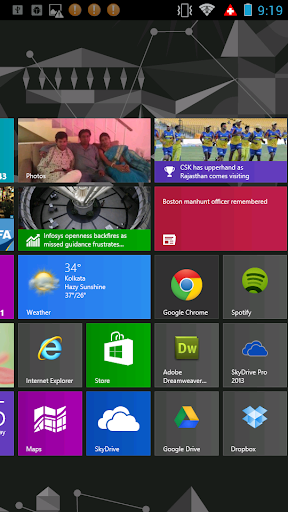
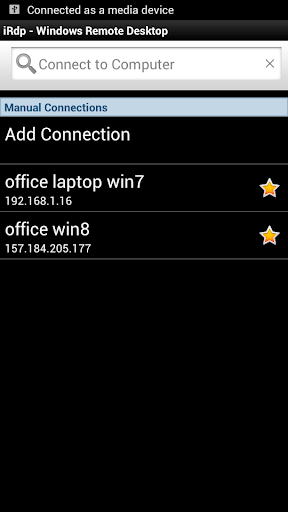
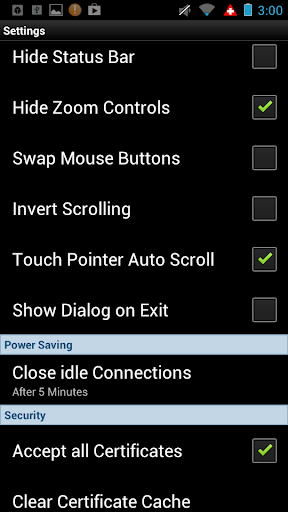
Screen:
What's in this version:
✓ Share Clipboard
✓ Share SD Card
✓ TS Gateway support
Vice info:
Kód: Vybrat vše
https://play.google.com/store/apps/details?id=com.mk.iRdpKód: Vybrat vše
http://uloz.to/x6B4KwU8/rdp-windows-remote-desktop-full-v1-0-7-apk
https://mega.co.nz/#!TEo01YID!dI0UkVuhSYbs5nTMaE596zPfZGwj3z9iy6y-uxMCSaI
http://www52.zippyshare.com/v/43148383/file.html✓ Support Windows 2000 Server, Windows XP Professional, MCE 2005, Windows Server 2003, Windows Vista Business or Ultimate, Windows Server 2008, Windows 7 Professional, Business or Ultimate, Windows Server 2008 R2, Windows 8 and Windows 2012.
✓ Optimized for gesture sensitive phones and tablets
✓ Full RDP integration
✓ Clipboard redirection
✓ SD Card redirection
✓ TS Gateway support
✓ Customizable resolutions
✓ Bookmark manager
✓ Advanced performance settings (3G network)
✓ Console mode
✓ Multi-touch ready: Pinch-zoom, two finger scrolling, mouse dragging all supported. Even three finger taps are supported to quickly show and hide the keyboard.
✓ RDP/NLA/TLS or automatic encryption mode
✓ Touch Pointer - Mouse Pointer designed for working with gestures
✓ 32-bit color support. 16, and 24 bit color are also supported.
✓ 128-bit encryption, using the RC4 encryption algorithm, as of Version 6.
✓ Seamless Windows: Remote applications can run on a client machine that is served by a Remote Desktop connection. It is available since RDP 6.
✓ RemoteFX: RemoteFX provides virtualized GPU support and host side encoding and is being shipped as part of Windows Server 2008 R2 SP1.
✓ Terminal Services Gateway: Enables the ability to use a front-end IIS server to accept connections (over port 443) for back-end Terminal Services servers via an ✓ https connection, similar to how RPC over https allows Outlook clients to connect to a back-end Exchange 2003 server. Requires Windows Server 2008
✓ Network Level Authentication
✓ Support for remoting the Aero Glass Theme (or Composed Desktop), including ClearType font smoothing technology.
✓ Support for remoting of Windows Presentation Foundation applications: Compatible clients that have .NET Framework 3.0 support will be able to display full Windows ✓ Presentation Foundation effects on a local machine.
✓ Improved bandwidth tuning for RDP clients.
✓ Support for Transport Layer Security (TLS) 1.0 on both server and client ends (can be negotiated if both parties agree, but is not mandatory in a default configuration of any version of Windows).
*** Optimized for Android and gestures ***
✓ Touch Pointer - Mouse Pointer designed for controlling mouse and keyboard with gestures
✓ Auto fit and customizable resolutions
✓ Custom keyboard featuring all keys found on a traditional PC keyboard
*** Integration of RDP protocol in Android ***
✓ Support of the latest RDP protocol version 8.0
✓ Optimized compression and caching for mobile networks (3G)
✓RemoteFX support with NEON optimizations
✓NSCodec (fast 32-Bit bitmap compression) support
✓High security standards - RDP/NLA/TLS or automatic encryption mode
✓You must know that Microsoft has removed Terminal Services (Remote Desktop Services) from the Windows Home/Basic editions. In order to access those Windows systems with any RDP client you have to install an alternative Terminal Services (Remote Desktop Services) solution. We recommend "Thinstuff XP/VS Terminal Server"


