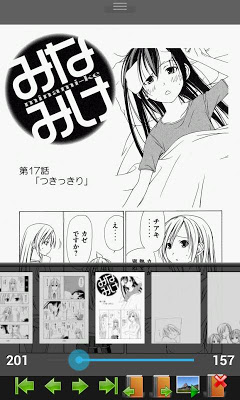
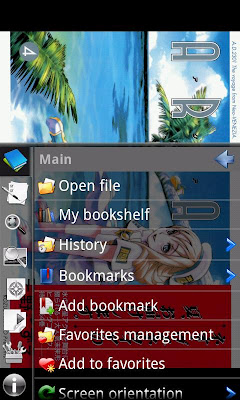
Pozadavky: Android 1.6 a vyssi Popis: Perfect Viewer is a very fast image/comic viewer.
Screen:
Video:
What's in this version:
2013/12/01 Version 2.1.0.1
-Fixed display dual page issue
2013/11/30 Version 2.1
-Add drag change page function
-Support Android 4.4 immersive full-screen mode and translucent system bars
*Turn black/white image into 4 colorize image(Only available for donated users. Need install Perfect Viewer donation application).
*Page layout: Auto single page, Auto dual page, Auto switch by screen orientation
*Support Windows, Linux etc. network file sharing(CIFS/SAMBA)
*Require internet permission for CIFS/SAMBA support.
*Support image file format: JPEG,PNG,GIF,BMP
*Support archive file format: CBZ/ZIP,CBR/RAR,7Z/CB7(No solid mode),LZH
*Support PDF file after install the PDF plugin
*Smooth filters: Averaging, Bilinear, Bicubic, Lanczos3;
*Five view mode: Full size, Fit Screen, Fit Width, Fit Height, Fixed size, Stretch;
*Support Left-to-right & right-to-left reading
*Set image as wallpaper
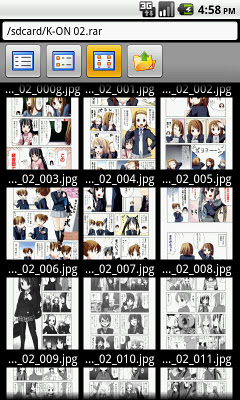
*Browse image in folder/archive as thumbnail
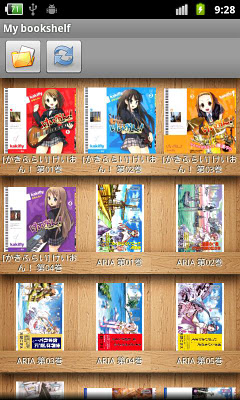
*Bookshelf function
*Support pinch to zoom & fling gesture
*Simple bookmark function
*My favorites management
*Cache next and previous page
*Simple file management(delete, rename)
*Slideshow
*Adjust image brightness,contrast & gamma
*Auto cut off white border.
Re: Perfect Viewer Donate
Napsal: 07. 12. 2013 21:30
od Kamilos
Perfect Viewer Donate v2.1.0.3
What's in this version:
2013/12/07 Version 2.1.0.3
-Drag change page function now support auto open next/previous book
-Fixed immersive full-screen mode issue
-Fixed can't login network folder with password has space characters
2013/12/03 Version 2.1.0.2
-Fixed touch screen sensitive issue
-Fixed some dual page issue
2013/12/01 Version 2.1.0.1
-Fixed display dual page issue
What's in this version:
-Support WebP image format
-Support display table of contents in PDF
-Added application startup password
-Drag change page distance now is customizable
-Read mark can display page number or percent
-Bookshelf folder thumbnails now is customizable
-Sort files as numeric now will ignores case
-Fixed color depth problem
-Add back old swipe change page option
What's in this version:
Version 2.2.1
-Rewrite 7z support. Now is support all 7z files (Except password protected)
-Support open 7z files from network folder
-Fixed hardware key management issue
What's in this version:
2014/02/17 Version 2.2.1.1
-Fixed can't open RAR/CBR files within Android 2.2
2014/02/14 Version 2.2.1
-Rewrite 7z support. Now is support all 7z files (Except password protected)
-Support open 7z files from network folder
-Fixed hardware key management issue
What's in this version:
-Backup and restore settings/data to Google Drive. Need Google Play services 4.0.30+
-Added 2 touch zone style
-Remember read direction setting per book. Default off.
-Only one bookmark per book. Default off.
-Tweaked algorithm of sort files as numeric
What's in this version:
Version 2.3.0.2
-Fixed unable save to history on opening single image file
-Fixed goto upper folder issue on network folder
-Fixed scroll lag in bookshelf