WhatsApp Migrator
Napsal: 13. 02. 2014 18:02
WhatsApp Migrator v1.95
(55,- Kc)
Pozadavky: Android 2.3.3 a vyssi
Popis: WhatsApp Migrator: move your WhatsApp history from iPhone to Android
Screen:
Video:
What's in this version:
- nova aplikace
Vice info:
Stahuj zde:
WhatsApp Migrator: move your WhatsApp history from iPhone to Android
Just switched from iPhone to Android? Don't worry, you can move your WhatsApp history (texts and images) to your brand new Android phone.
FEATURES
- import messages and emoji
- import images
- works even if you already sold/gave away your old iPhone, just be sure to have an iTunes backup on your PC/Mac
- works with any WhatsApp version
PRIVACY
- worried about your privacy? when installing take a look at the app's permission: it has no permission to access the internet, so you can be sure your data absolutely can't leave your device
HOW IT WORKS
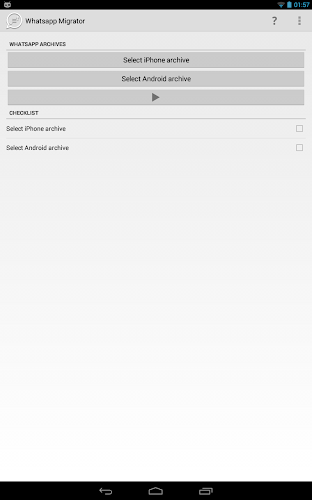
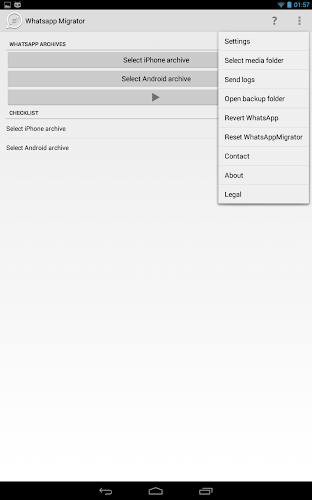
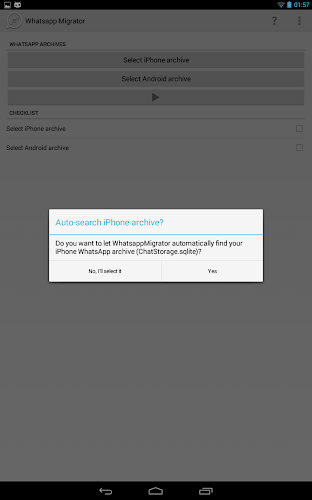
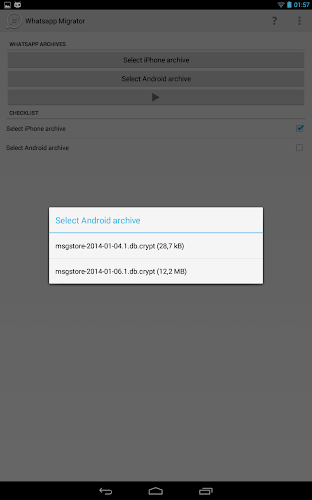
Just extract your iPhone WhatsApp archive (ChatStorage.sqlite) from your old iPhone to your new Android phone SD card (or root folder if you don't have one, like in Nexus 4). WhatAppMigrator will automatically detect the backup and merge the iPhone archive with the pre-existing Android one. See in-app help for more details on how to extract the ChatStorage.sqlite.
(55,- Kc)
Pozadavky: Android 2.3.3 a vyssi
Popis: WhatsApp Migrator: move your WhatsApp history from iPhone to Android
Screen:
Video:
What's in this version:
- nova aplikace
Vice info:
Kód: Vybrat vše
https://play.google.com/store/apps/details?id=com.nbeghin.whatsappmigratorKód: Vybrat vše
http://www40.zippyshare.com/v/763902/file.html
http://www.2shared.com/file/GCvSsR1Z/com-nbeghin-whatsappmigrator-1.html
http://www.tusfiles.net/3uztd8kv6hby
http://ul.to/d29vxdctJust switched from iPhone to Android? Don't worry, you can move your WhatsApp history (texts and images) to your brand new Android phone.
FEATURES
- import messages and emoji
- import images
- works even if you already sold/gave away your old iPhone, just be sure to have an iTunes backup on your PC/Mac
- works with any WhatsApp version
PRIVACY
- worried about your privacy? when installing take a look at the app's permission: it has no permission to access the internet, so you can be sure your data absolutely can't leave your device
HOW IT WORKS
Just extract your iPhone WhatsApp archive (ChatStorage.sqlite) from your old iPhone to your new Android phone SD card (or root folder if you don't have one, like in Nexus 4). WhatAppMigrator will automatically detect the backup and merge the iPhone archive with the pre-existing Android one. See in-app help for more details on how to extract the ChatStorage.sqlite.