



(20,- Kc)
Pozadavky: Android 2.2 a vyssi
Popis: Most complete PDF Utility application.
A Single app that gives you Eight power packed PDF Manipulations - Merge, Split, Convert website to PDF, Rotate, Encrypt, Watermark, Extract & Delete pages
Screen:
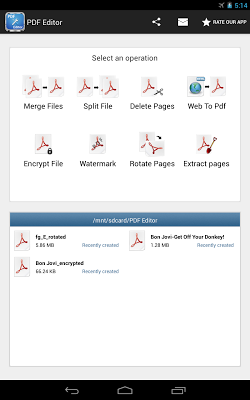
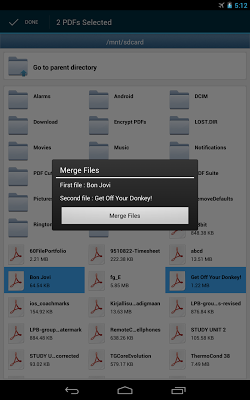
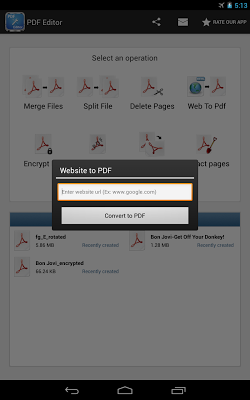
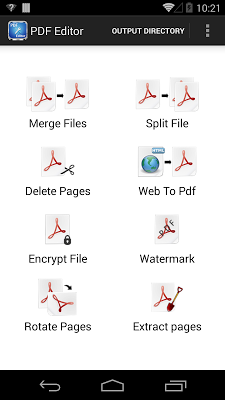
What's in this version:
- nova aplikace
Vice info:
Kód: Vybrat vše
https://play.google.com/store/apps/details?id=com.techiewonders.pdfeditorproKód: Vybrat vše
http://ul.to/48ctclte
http://www.kingfiles.net/2dyq12e9t9p7/com.techiewonders.pdfeditorpro.ver.1.build.1.apk
http://unlimitzone.com/bcjfgsgeox4h/com.techiewonders.pdfeditorpro.ver.1.build.1.apk.html
http://www.tusfiles.net/we34ehddprzb
http://www76.zippyshare.com/v/32098727/file.html
http://www.tusfiles.net/keqqv1ul2uqb
http://uloz.to/x7nbnsBZ/pdf-editor-v1-apk
http://ulozto.sk/xwQmXbQT/pdf-editor-v1-apkEver had trouble managing multiple files ? Now you can combine them into a single pdf file, making it easy to share with friends.
2) Split File - Cut a big pdf file into 2 smaller ones.
Have a file that is too big ? Now you can split it into smaller units. Making the sizes manageable.
3) Website to PDF - Saw a news article / match report that you would like to read when free ? Convert the website into pdf and read the article as and when you wish.
4) Rotate PDF - Turn a page / group of pages of a file.
Have a pdf file where some pages need to be rotated ? Use the 'Rotate PDF' feature to turn the pages by 90 / 180 / 270 degrees.
5) Encrypt PDF - Add password lock to your pdf file
Want to protect your confidential information ? Use the 'Encrypt PDF' feature to add password protection to your pdf file.
6) Watermark PDF - Add watermark text to all pages of your pdf file
Need to ensure that you get proper ownership of the content you generated ? Why not add a watermark to the pdf file ? With our 'Watermark PDF' feature, you can embed a text on everypage of the pdf that indicates your ownership. Great for embedding copyright information.
7) Extract Pages - Got a big pdf, where you are interested in only few pages ? Why not use the extract PDF pages from our application and extract out the relevant pages from the pdf.
8) Delete Pages - Delete selected pages from a pdf file
Ever felt the need to delete some selected page / group of pages from a PDF file ? If yes, the 'Delete Pages' feature gives you the control to remove pages and the corresponding bookmarks & links. Great way to reduce size of PDF document.


