Multitasking Pro
Napsal: 02. 04. 2014 08:10
Multitasking Pro v1.03
(55,- Kc)
Pozadavky: Android 2.2 a vyssi
Popis: Are you tired of the classic work interface which blocks you in a single application?
Multitasking is the perfect app for you!
Screen:
Video:
What's in this version:
Bug Fix
Added option to modify tools list
Added option to enable/disable activation area vibration
Added back function on back button click for some tools
Improved activation area size
Improved bubble size
Vice info:
Stahuj zde:
Buy it asap while it still 30% discount!
Pro:
-No ads
-More features
-More tools
Are you tired of the classic work interface which blocks you in a single application?
Multitasking is the perfect app for you!
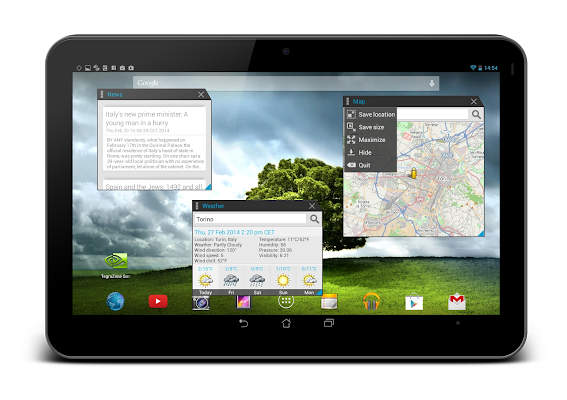
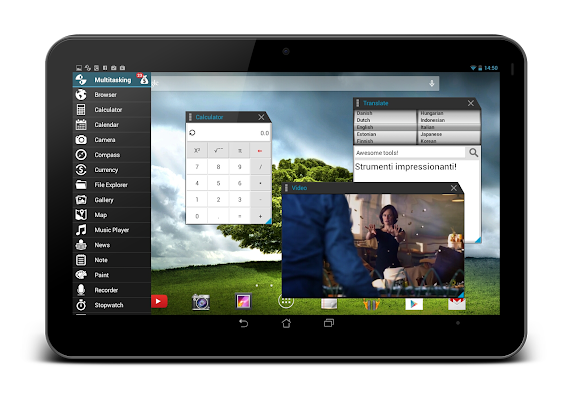
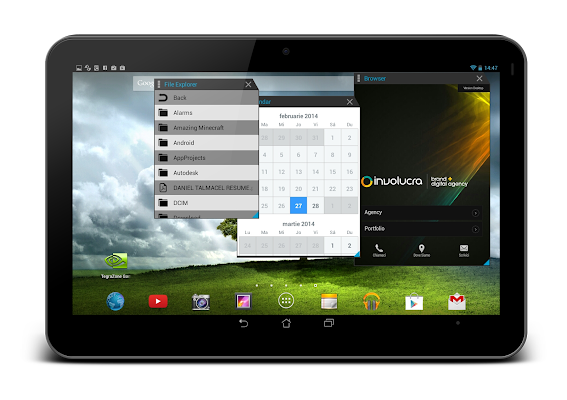
You can use this app to open multiple tools simultaneously.
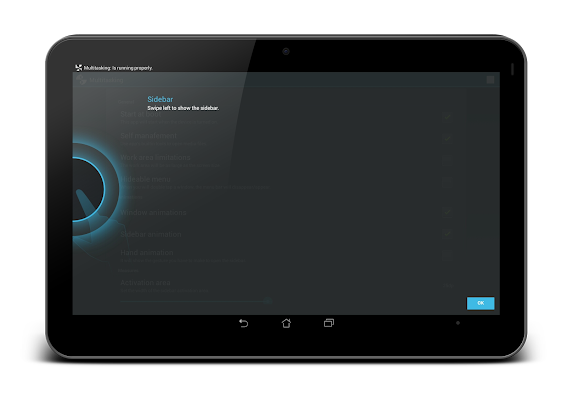
Multitasking is composed by the settings menu, the sidebar and the floating tools. To access the tools bar do a swipe gesture to the right.
The windows can be modified in various ways:
- they can be resized;
- they can moved anywhere on the screen;
- they can be used in fullscreen mode;
- they can be minimized into the notification bar;
(55,- Kc)
Pozadavky: Android 2.2 a vyssi
Popis: Are you tired of the classic work interface which blocks you in a single application?
Multitasking is the perfect app for you!
Screen:
Video:
What's in this version:
Bug Fix
Added option to modify tools list
Added option to enable/disable activation area vibration
Added back function on back button click for some tools
Improved activation area size
Improved bubble size
Vice info:
Kód: Vybrat vše
https://play.google.com/store/apps/details?id=com.oryon.multitaskingproKód: Vybrat vše
http://www.tusfiles.net/9eek92lusjkz
http://unlimitzone.com/8nxr8u7bget9/Multitasking.v.1.03.b.3.crk.apk.html
https://www.oboom.com/9SI3RJPO
http://www1.zippyshare.com/v/97209872/file.html
http://hugefiles.net/rc3ybbfzdxsc
http://uloz.to/xasoAiP3/multitasking-v-1-03-b-3-crk-apk
http://ulozto.sk/xbpMrUXu/multitasking-v-1-03-b-3-crk-apkPro:
-No ads
-More features
-More tools
Are you tired of the classic work interface which blocks you in a single application?
Multitasking is the perfect app for you!
You can use this app to open multiple tools simultaneously.
Multitasking is composed by the settings menu, the sidebar and the floating tools. To access the tools bar do a swipe gesture to the right.
The windows can be modified in various ways:
- they can be resized;
- they can moved anywhere on the screen;
- they can be used in fullscreen mode;
- they can be minimized into the notification bar;