Quick Reply for SmartWatch 2
Napsal: 15. 04. 2014 10:34
Quick Reply for SmartWatch 2 v2.2
(66,- Kc)
Pozadavky: Android 2.2 a vyssi
Popis: **QuickReply is only for Sony SmartWatch 2**
*** SMS integration added ***
Screen:
Video:
What's in this version:
V2.2
-- Fixed group notifications bug
V2.1
-- Alerts show user names in group notifications
-- Alerts show "User sent a photo" instead of blank notification when a photo is received
-- Fixed the comma bug
V2.0
- SMS alerts with quick reply
- False notification bug fix
- Incorrect reply bug fix
- Keyboard bug fix
Vice info:
Stahuj zde:
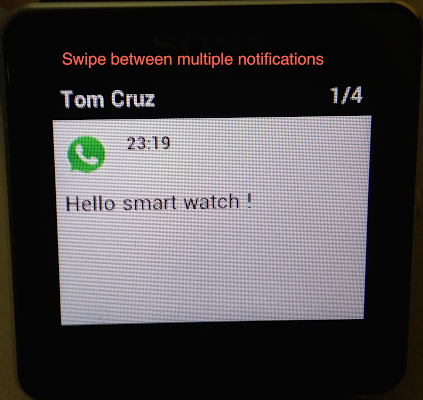
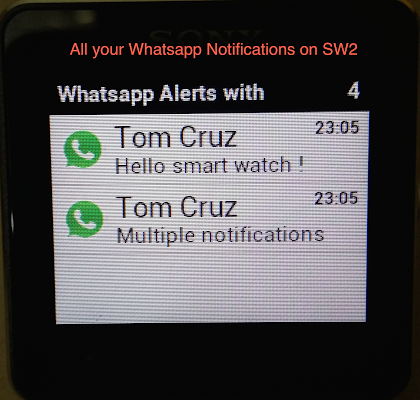
"Quick Reply for SmartWatch 2" makes it possible to receive Whatsapp and SMS alerts, and send quick replies from your Sony Smart Watch 2 by following these simple steps:
(Your phone must be rooted)
1. Install BusyBox from Playstore
2. Enable "Quick Reply for SmartWatch 2" under Accessibility Services. Disable any other Whatsapp services
(reboot the phone if required)
3. Grant Root access forever
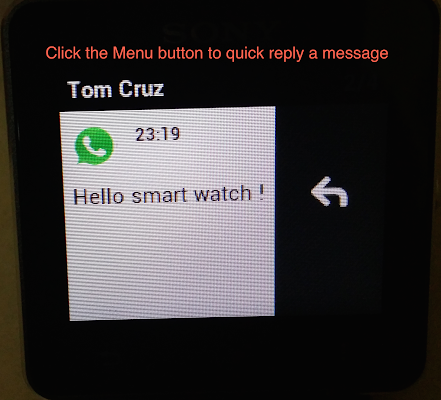
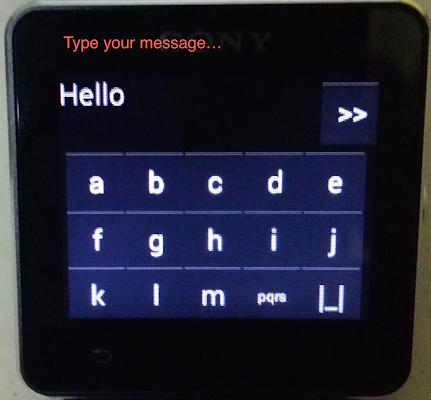
To reply from SW2, click the menu during any message and hit reply button. Use the keyboard to type in the message.
Swipe Up for upper case alphabets
Swipe Down for lower case alphabets
Swipe Left to delete text
Swipe right for space
Long press to toggle numbers and symbols
Hit the >> button to send the message.
Note: You need a rooted phone to read and reply to notifications!
If you find any bugs please mail us / report crashes! Cheers!
Smart Connect extension for SmartWatch 2
Smart extension for SmartWatch 2
LiveWare extension for SmartWatch 2
(66,- Kc)
Pozadavky: Android 2.2 a vyssi
Popis: **QuickReply is only for Sony SmartWatch 2**
*** SMS integration added ***
Screen:
Video:
What's in this version:
V2.2
-- Fixed group notifications bug
V2.1
-- Alerts show user names in group notifications
-- Alerts show "User sent a photo" instead of blank notification when a photo is received
-- Fixed the comma bug
V2.0
- SMS alerts with quick reply
- False notification bug fix
- Incorrect reply bug fix
- Keyboard bug fix
Vice info:
Kód: Vybrat vše
https://play.google.com/store/apps/details?id=com.ingeniousapps.hellosmartwatchKód: Vybrat vše
http://addr.pk/a2532
(Your phone must be rooted)
1. Install BusyBox from Playstore
2. Enable "Quick Reply for SmartWatch 2" under Accessibility Services. Disable any other Whatsapp services
(reboot the phone if required)
3. Grant Root access forever
To reply from SW2, click the menu during any message and hit reply button. Use the keyboard to type in the message.
Swipe Up for upper case alphabets
Swipe Down for lower case alphabets
Swipe Left to delete text
Swipe right for space
Long press to toggle numbers and symbols
Hit the >> button to send the message.
Note: You need a rooted phone to read and reply to notifications!
If you find any bugs please mail us / report crashes! Cheers!
Smart Connect extension for SmartWatch 2
Smart extension for SmartWatch 2
LiveWare extension for SmartWatch 2