



(20,- Kc)
Pozadavky: Android 2.2 a vyssi
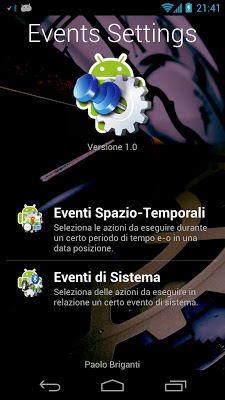
Popis: Events Settings is an app created to make your Android tailored to you!
Events with Settings you can create some rules based on:
-Space & Time Events
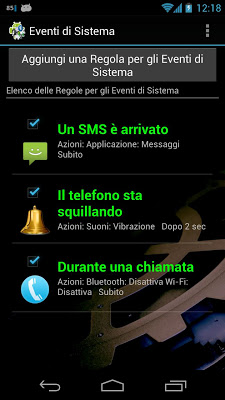
-System Events
Screen:
What's in this version:
Version 2.1:
NB.: A lot of code is changed. You need to uninstall and reinstall app!
-Android KitKat Compatible
-Bug Fix
Vice info:
Kód: Vybrat vše
https://play.google.com/store/apps/details?id=com.eventssettings.paolobrigantiKód: Vybrat vše
http://unlimitzone.com/hfpgum64zy1p
http://www.indishare.com/kpn9siwcrmx2
http://BillionUploads.com/6r4wa2mfjyoj
http://uloz.to/x6AWCxAq/events-settings-2-2-apk
Events Settings is an app created to make your Android tailored to you!
Events with Settings you can create some rules based on:
-Space & Time Events
-System Events
These rules will perform a lot of actions that will allow you to turn on / off / switch / display settings you can choose between:
-Wi-Fi
-Data
-Bluetooth
-Rotation
-Sounds
-Brightness
-Timeout Screen
-Flight Mode
-Automatic Synchronization
-Wi-Fi Access Point
You can also choose to:
-Start an application
-Close all applications
-Play sound
-Show a Dialog Window
SPACE & TIME EVENTS:
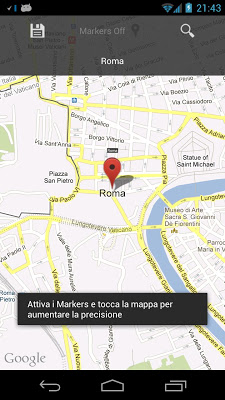
Select a period of time and / or a position and Events Settings will perform all the actions that you choose.
Examples:
-University: from 9.00 am to 12.00 am you have to set the VIBRATION mode and you always forget it...
Choose the interval 9:00 to 12:00, choose the days, the position of your university, set "Vibration" in "Sounds" category and you're done!
SYSTEM EVENTS
Events Settings is able to handle the following system events:
-The battery is very low
-A text message has arrived
-The phone is ringing
-During a call
-The device is fully booted
-Turns on the screen
-Turns off the screen
-The screen is unlocked
-The Wi-Fi network is connected
-The Wi-Fi network is disconnected
-The Wi-Fi is On
-The Wi-Fi is Off
-A Wi-Fi network to connect to was found
-The mobile network is connected
-The mobile network is disconnected
-Bluetooth is on
-Bluetooth is off
-Bluetooth starts the search for devices
-Bluetooth ends search for devices
-Screen orientation changes in portrait mode
-Screen orientation changes in landscape mode
-Sounds are set in normal mode
-Sounds are set in vibration mode
-Sounds are set to silent mode
-Airplane mode is on
-Airplane mode is off
-The Wi-Fi Access Point is on
-The Wi-Fi Access Point is off


