USB OTG File Manager
Napsal: 14. 06. 2014 12:02
USB OTG File Manager v1.0.9
(30,- Kc)
Pozadavky: Android 4.1 a vyssi
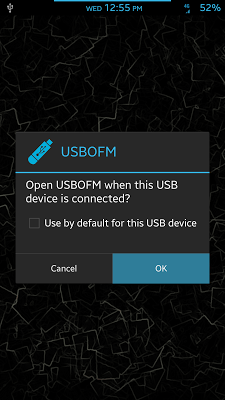
Popis: USB OTG File Manager (USBFM) will automatically** open to the path of
your USB storage upon mount.
Screen:
What's in this version:
v1.0.9
==========================
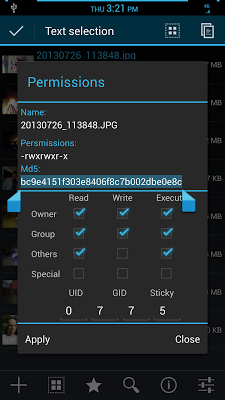
Reworked permissions options
Improved USB mount detection.
v1.0.8
==========================
Added support for KitKat
Added permissions menu (beta)
Added MD5 support
Worked on some more UI improvements
Vice info:
Stahuj zde:
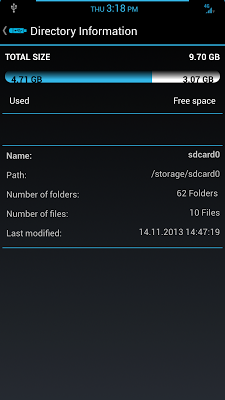
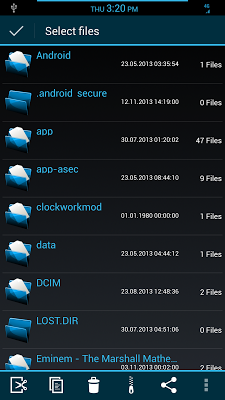
USB OTG File Manager (USBFM) will automatically** open to the path of your USB storage upon mount. There is no need to open a file manager and search for the path. All the functions you would expect from a file manager are included and are ready to use including SU (root) and (busybox) enabled commands. You may also use USBFM as a standard file manager without a USB device connected.
In order to use the USB functionality you will need the following:
•USB host mode enabled.
**(USB must mount this WILL NOT mount it for you)
•OTG USB Data cable.
•USB storage device "flash-drive"
(30,- Kc)
Pozadavky: Android 4.1 a vyssi
Popis: USB OTG File Manager (USBFM) will automatically** open to the path of
your USB storage upon mount.
Screen:
What's in this version:
v1.0.9
==========================
Reworked permissions options
Improved USB mount detection.
v1.0.8
==========================
Added support for KitKat
Added permissions menu (beta)
Added MD5 support
Worked on some more UI improvements
Vice info:
Kód: Vybrat vše
https://play.google.com/store/apps/details?id=com.vesatile1.usbdriveKód: Vybrat vše
http://www6.zippyshare.com/v/90315459/file.html
https://www.tusfiles.net/6v066dspa8of
http://hugefiles.net/0dk17wslt23f
http://www.datafilehost.com/d/d80e4398
http://unlimitzone.com/22ob91g7sp99/U.O.F.M.zip.html
http://rapidgator.net/file/40bced66e8c4883500fae638f286a0fe
In order to use the USB functionality you will need the following:
•USB host mode enabled.
**(USB must mount this WILL NOT mount it for you)
•OTG USB Data cable.
•USB storage device "flash-drive"