QuickNote Notepad Notes Donate
Napsal: 28. 07. 2014 21:21
QuickNote Notepad Notes Donate v1.2.8
Donate features Unlocked
Pozadavky: Android 2.3.3 a vyssi
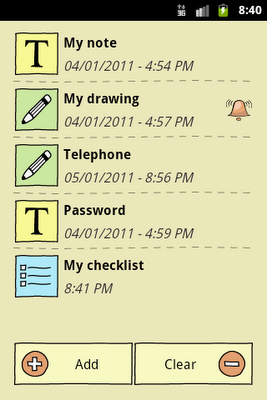
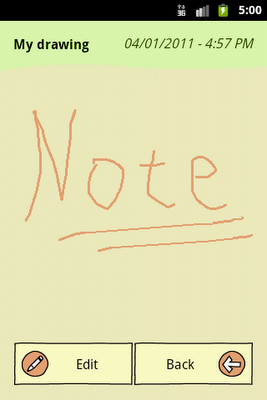
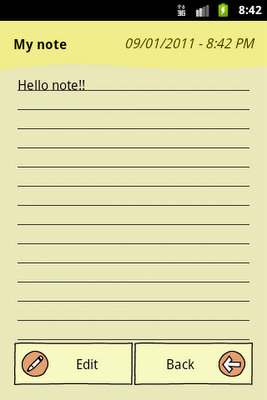
Popis: QuickNote is a simple notepad app where you can take notes down quickly by adding text or drawing.
Now it supports widgets! (To use widget properly, the app will need to be install on the phone instead of sd-card)
Screen:
What's in this version:
v1.2.8
- Updated Google Play Service SDK
- Updated AppBrain SDK
Vice info:
Stahuj zde:
Features
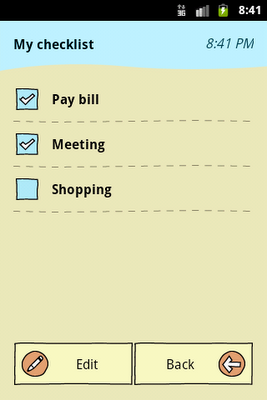
- 3 types of note taking: text, checklist or drawing
- Text sharing
- Image sharing and exporting
- Reminder
- Backup data
- Widgets
- Support Android 3.0 Honeycomb tablets
Some notes:
- Please press "menu" to see if there are extra options
- Press and hold the item to delete individual item
- Export image will be saved in "quicknote" folder on storage
- To restore backups to new device, you will need to copy backup files from folder "/quicknote" in your internal storage to new phone's internal storage "/quicknote" folder.
Donate features Unlocked
Pozadavky: Android 2.3.3 a vyssi
Popis: QuickNote is a simple notepad app where you can take notes down quickly by adding text or drawing.
Now it supports widgets! (To use widget properly, the app will need to be install on the phone instead of sd-card)
Screen:
What's in this version:
v1.2.8
- Updated Google Play Service SDK
- Updated AppBrain SDK
Vice info:
Kód: Vybrat vše
https://play.google.com/store/apps/details?id=com.xllusion.quicknoteKód: Vybrat vše
http://uploadrocket.net/kipgjybh294q
http://ul.to/65wfcqrt
https://www.secureupload.eu/pq3f1vo1utfj
http://www.tusfiles.net/78x1xkm4vlou
- 3 types of note taking: text, checklist or drawing
- Text sharing
- Image sharing and exporting
- Reminder
- Backup data
- Widgets
- Support Android 3.0 Honeycomb tablets
Some notes:
- Please press "menu" to see if there are extra options
- Press and hold the item to delete individual item
- Export image will be saved in "quicknote" folder on storage
- To restore backups to new device, you will need to copy backup files from folder "/quicknote" in your internal storage to new phone's internal storage "/quicknote" folder.