


42,-Kc
Požadavky: Android 2.2 a vyšší
Popis: Automatic switch ON/OFF WiFi, Bluetooth and the Mobile Data Traffic by certain CONTROLS. Secondly, it can also be used for anonymity on-the-go.
Screen:
Vice info:
Kód: Vybrat vše
https://play.google.com/store/apps/details?id=de.android.wlan_o_matic_proKód: Vybrat vše
http://ulozto.cz/xEKQU2Sq/wlan-o-matic-pro-v1-50-05-4allmobile-eu-apk
http://ulozto.net/x3PcvZK1/wlan-o-matic-pro-v1-50-05-4allmobile-eu-apk
https://webshare.cz/file/5137f96dD3/wlan-o-matic-pro-v1-50-05-4allmobile-eu-apkMain Features:
- Automatic switch ON/OFF WiFi, Bluetooth and the mobile data traffic by certain CONTROLS
- Types of rules: SCREEN, CELL ID, TIME, LOCATION and OFFLINE BREAK
- Helps to save energy
- Protect the privacy
- Automatically learns
- Many adjustments
- Widgets ( Pro version only )
Secondly, it can also be used for anonymity on-the-go. With activated WiFi/WLAN, regular data packets with unique device identifiers are sent out. Sniffers can interpret these and create a movement profile. Not everyone likes this.
Shutting down the different networks helps save your smartphone battery life a ton. Currently, WiFi and Bluetooth (before 4.0LE) are often shown to be energy guzzlers.WLAN-o-Matic provides various options (controls) to save energy. Some controls can be defined by you, while others are self-defining. Aside from the main goal of saving energy, the app can also be used to excellent effect to automatically go OFFLINE - i.e. stop all data traffic - while maintaining phone functions.
At the beginning, activate your Wi-Fi if you want to connect. WLAN-o-Matic will remember that and the next time, when you in area, Wi-Fi is already enabled and connected.
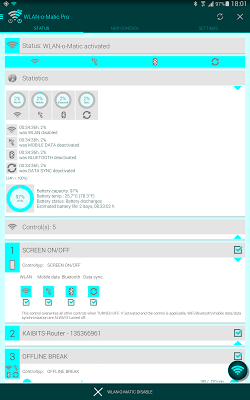
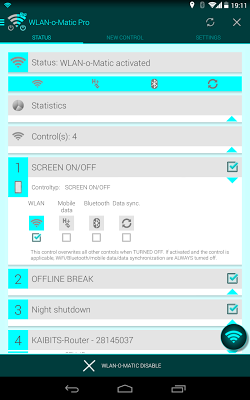
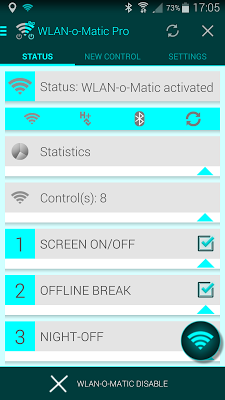
The app is divided into the sections STATUS, NEW CONTROLS and SETTINGS. Under STATUS you have an overview of which controls are active. Here, changes can be made to each control and WLAN-o-Matic can be started or stopped.
In the NEW CONTROLS section, you can newly define and save a TIME- or LOCATION CONTROL.
Under SETTINGS you will find the app's global settings, i.e. you can deactivate AUTO-LEARNING.
WLAN-o-Matic Pro offers the following controls: SCREEN ON/OFF, CELL ID, TIME and LOCATION.
The following is valid: ON goes before OFF, with the exception of TIME- and SCREEN ON/OFF control, in which case OFF goes before ON.
The SCREEN ON/OFF control is the most powerful control. It ALWAYS turns off WiFi, Bluetooth, mobile data transfer and/or automatic data synchronization, when the screen is turned off. When the screen is turned on, WiFi, Bluetooth, mobile data transfer and/or data synchronization are, of course, reactivated.
The CELL ID control activates WiFi, Bluetooth, mobile data traffic and/or automatic data synchronization when your smartphone is connected to a particular mobile cell network. Strictly speaking, this control is position-dependent. At home or at work - wherever there's WiFi where you can dial in or, for example, a Bluetooth speaker is available - you are always connected to the same transmission towers (cellular IDs). WLAN-o-Matic will automatically remember and turn WiFi, Bluetooth, mobile data traffic or data synchronization on or off.
CELL ID controls are only learned automatically by the app and cannot be created manually. If no new CELL ID controls should be learned, you should deactivate the option under SETTINGS. This control usually saves the most energy and should be your first choice. Although the LOCATION control serves a similar purpose, it requires a GPS signal which then consumes more energy. Compared to the LOCATION control, the CELLULAR ID control is much less accurate, but should be your first choice anyway.
The TIME control turns WiFi, Bluetooth, mobile data traffic and/or automatic data synchronization on again within a set time period. You can even define individual days. It would make sense, for example, to turn off your phone at night between 11PM and 7AM. This saves an enormous amount of energy in case you forget to charge your smartphone overnight.




