Screen Capture Fast Screenshot
Napsal: 18. 12. 2016 17:38
Screen Capture Fast Screenshot v1.1.3 [Premium]
Požadavky: Android: 5.0 a vyšší
Popis: Zachycení obrazovky pro Android povede ke snímání snímků v 14 různých Screen Capture způsoby.
Screen:
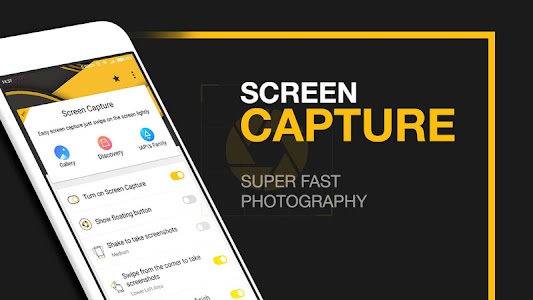


Vice info:
Stahuj zde: Premium features Unlocked
Normally, you always take power button to take a screenshot. However, if you use more will cause your power button is not work, and you want to take a screenshot without the power button, then just use our screenshot without power button application
How to take a screenshot:
- Press both of the "Power" and "Volume" button 2 seconds
- Press both of the "Power" and "Home" button 2 seconds
- Screenshot app in notification toggle
- Using these buttons on your phone
- Press the search bar a moment
- Screenshot shortcut, screenshot one touch on phone
- Using Widget, screenshot capture for android by touch
- Screenshot capture for android by shaking
Features of screenshot apps for android without pressing button:
- Supports screen capture simple and fast
- Multiple screen capture features, shortcut screenshot button on screen
- Supports most models phone
- Support both of phones and tablets, screen capture shortcut free
- Edit screenshots, gesture screenshot
- Save screenshots in private folders
- Dozens of different photographing
- Helps screen shot captures without power button, shortcuts, help touch with screen capture...
- Share screenshots
Požadavky: Android: 5.0 a vyšší
Popis: Zachycení obrazovky pro Android povede ke snímání snímků v 14 různých Screen Capture způsoby.
Screen:
Vice info:
Kód: Vybrat vše
https://play.google.com/store/apps/details?id=com.thinkdif.screenshotKód: Vybrat vše
https://dropapk.com/ov7hiecmlex8
https://userscloud.com/mf4rupzjxclo
https://webshare.cz/file/78z51076w2/screen-capture-fast-screenshot-v-1-1-3-premium-apkHow to take a screenshot:
- Press both of the "Power" and "Volume" button 2 seconds
- Press both of the "Power" and "Home" button 2 seconds
- Screenshot app in notification toggle
- Using these buttons on your phone
- Press the search bar a moment
- Screenshot shortcut, screenshot one touch on phone
- Using Widget, screenshot capture for android by touch
- Screenshot capture for android by shaking
Features of screenshot apps for android without pressing button:
- Supports screen capture simple and fast
- Multiple screen capture features, shortcut screenshot button on screen
- Supports most models phone
- Support both of phones and tablets, screen capture shortcut free
- Edit screenshots, gesture screenshot
- Save screenshots in private folders
- Dozens of different photographing
- Helps screen shot captures without power button, shortcuts, help touch with screen capture...
- Share screenshots