Our Budget Book Pro
Napsal: 21. 01. 2017 11:50
Our Budget Book Pro v5.9
80,-Kc
Požadavky: Android: 4.1 a vyšší
Popis:
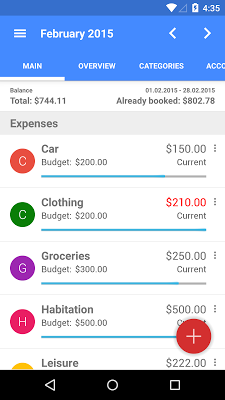
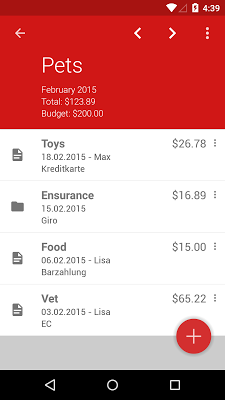
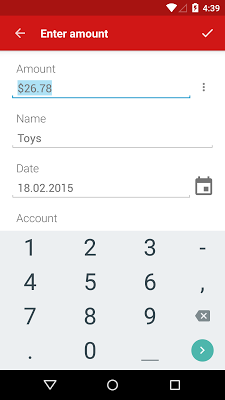
Easy income and spending management for your family with "Our Budget Book": Keep an eye on your money in self-created categories. Create monthly bookings. Use the report page to see a graphical overview of your finances. Synchronize several installations of the app on different devices via Google Drive.
Screen:
Vice info:
Stahuj zde:
All features:
• Plan your personal finances and keep track of your spending
• Free categories for income and expenses
• Material design
• Synchronization across multiple devices with Google Drive
• Various color themes
• Report page with several diagrams
• Optional Pin protection
• Optimized for use on tablets
How to use Google Drive Sync:
When you hit the synchronize button the first time, the app creates the file "BBSync.bin" in your Google Drive. The file will be used for further synchronizations. You can move the file to another folder on your Google Drive and share the file with your family members so they can edit it and use it for synchronization too.
The permissions are needed for the synchronization.
80,-Kc
Požadavky: Android: 4.1 a vyšší
Popis:
Easy income and spending management for your family with "Our Budget Book": Keep an eye on your money in self-created categories. Create monthly bookings. Use the report page to see a graphical overview of your finances. Synchronize several installations of the app on different devices via Google Drive.
Screen:
Vice info:
Kód: Vybrat vše
https://play.google.com/store/apps/details?id=de.ourbudget.adfreeKód: Vybrat vše
https://dropapk.com/cnpx0nm3bdbn
http://userscloud.com/1qsnvmpglzso
https://webshare.cz/file/49219c4to3/budget-book-pro-5-9-apk
https://ulozto.cz/!sVjaaQR7TJrv/budget-book-pro-5-9-4allmobile-eu-apk
https://ulozto.sk/!ytraqMSRoy8l/budget-book-pro-5-9-4allmobile-eu-apk
https://ulozto.net/!zHzzRSc7pjjw/budget-book-pro-5-9-4allmobile-eu-apk• Plan your personal finances and keep track of your spending
• Free categories for income and expenses
• Material design
• Synchronization across multiple devices with Google Drive
• Various color themes
• Report page with several diagrams
• Optional Pin protection
• Optimized for use on tablets
How to use Google Drive Sync:
When you hit the synchronize button the first time, the app creates the file "BBSync.bin" in your Google Drive. The file will be used for further synchronizations. You can move the file to another folder on your Google Drive and share the file with your family members so they can edit it and use it for synchronization too.
The permissions are needed for the synchronization.