Windows 8 Theme
Napsal: 28. 12. 2012 22:24
Windows 8 Theme v4.2.0
(28,- Kc)
Pozadavky: Android 4.0 a vyssi
Popis: Checkout the official Windows 8 Launcher Theme, this features a HUGE set of metro style Windows 8 icons.
Screen:
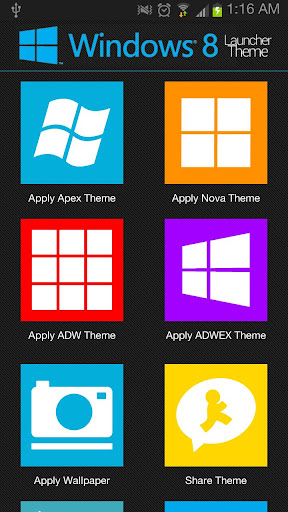
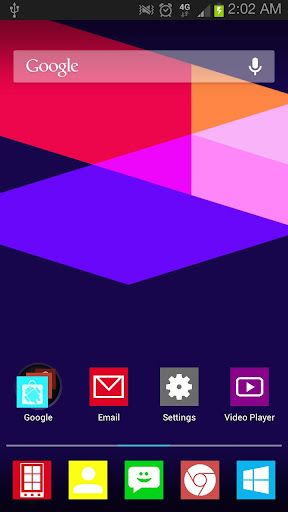
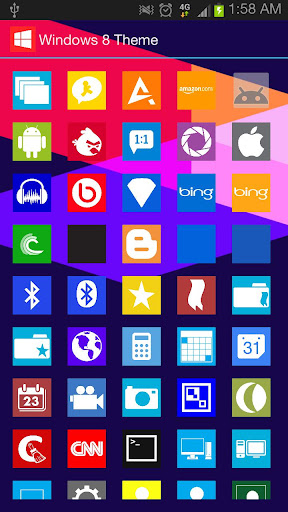
What's in this version:
~~~New Version 4.2.0~~~
~NOVA LAUNCHER UPDATES~
*Fixed issue's with manual icon selection
*Theme applies successfully from launcher icon or manually
*Downsized icons to help devices load all the icons
Vice info:
Stahuj zde:
Checkout the official Windows 8 Launcher Theme, this features a HUGE set of metro style Windows 8 icons. There is around 400 ICONS, There is 18 HD Wallpaper (1920x1200) and Custom Apex Icons and Drawables. You wont have to worry if there is app that custom have a custom icon, There also even 18 Icon Backgrounds to make ALL your icons have the new Windows 8 Metro Style.
*Compatible Launcher Themes*
+Apex Launcher
+Nova Launcher
+ADW Launcher
+ADWEX Launcher
--------------------------------
Applying Themes Using Launcher
--------------------------------
1.Open Launcher
2.Select which Apply Button, Based on what launcher you like
3.Follow the dialog instructions
------------------------------
Apply Using Apex Launcher
------------------------------
1.Download and install Apex Launcher
2.Hit Menu from home and click "Theme Settings"
3.Click "Look And Feel"
4.Click "Icon Theme"
5.Choose "Windows 8 Theme"
6.Press OK
------------------------------
Apply Using Nova Launcher
------------------------------
1.Please Use Launcher to Apply Theme
------------------------------------
Apply Using ADW or ADWLauncher EX
------------------------------------
1.Hit Menu from either launchers home screen
2.Choose "ADW/EX Settings"
3.Locate theme and click "Apply"
(28,- Kc)
Pozadavky: Android 4.0 a vyssi
Popis: Checkout the official Windows 8 Launcher Theme, this features a HUGE set of metro style Windows 8 icons.
Screen:
What's in this version:
~~~New Version 4.2.0~~~
~NOVA LAUNCHER UPDATES~
*Fixed issue's with manual icon selection
*Theme applies successfully from launcher icon or manually
*Downsized icons to help devices load all the icons
Vice info:
Kód: Vybrat vše
https://play.google.com/store/apps/details?id=com.jaisonbrooks.theme.windows8Kód: Vybrat vše
http://uloz.to/xDEjXEs/windows-8-theme-v4-2-0-apk
http://www2.zippyshare.com/v/70445146/file.html
http://www.directmirror.com/files/02K9LNKT*Compatible Launcher Themes*
+Apex Launcher
+Nova Launcher
+ADW Launcher
+ADWEX Launcher
--------------------------------
Applying Themes Using Launcher
--------------------------------
1.Open Launcher
2.Select which Apply Button, Based on what launcher you like
3.Follow the dialog instructions
------------------------------
Apply Using Apex Launcher
------------------------------
1.Download and install Apex Launcher
2.Hit Menu from home and click "Theme Settings"
3.Click "Look And Feel"
4.Click "Icon Theme"
5.Choose "Windows 8 Theme"
6.Press OK
------------------------------
Apply Using Nova Launcher
------------------------------
1.Please Use Launcher to Apply Theme
------------------------------------
Apply Using ADW or ADWLauncher EX
------------------------------------
1.Hit Menu from either launchers home screen
2.Choose "ADW/EX Settings"
3.Locate theme and click "Apply"