


24,-Kc
Požadavky: Android 2.2 a vyšší
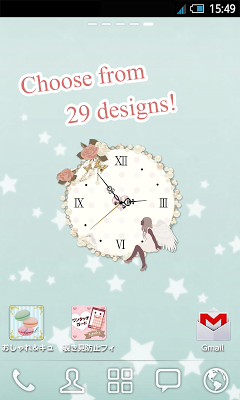
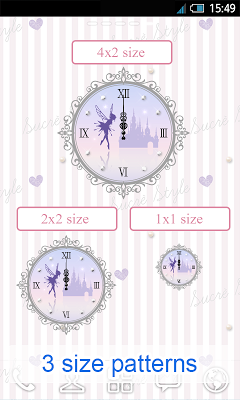
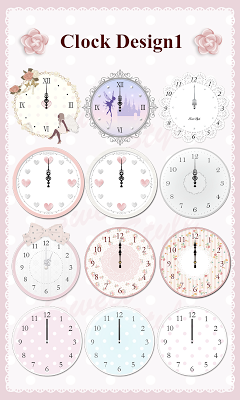
Popis: A cute and stylish analog clock, complete with second hand, made especially for girls.Choose from 3 size patterns and 29 designs!
Screen:
Vice info:
Kód: Vybrat vše
https://play.google.com/store/apps/details?id=com.webclap.sweetstyle.sweetAnalogClockWidget Kód: Vybrat vše
http://ulozto.cz/x4Bna1X8/sweet-analog-4allmobile-eu-apk
http://ulozto.net/xKxS3qDi/sweet-analog-4allmobile-eu-apk
https://webshare.cz/file/76S6vl49c4/sweet-analog-4allmobile-eu-apkDon’t worry, new smartphone owners: this widget has been designed so that everyone can easily use it.
All clocks included are analog clocks.
*Freely enable or disable the second hand
•Widget sizes: 4x2 (Large), 2x2 (Medium), 1x1 (Small)
★What’s more, if you buy our SWEET Style app now you’ll get free wallpaper images, too!★
Download several different wallpapers designed for girls, for free!
New designs are added every Monday!
Increase your girl power with these cute Home Screen wallpapers ♪
※ These free wallpapers are the same as those from SWEET Style, Animal Style and Simple Style.
*Terms of Use*
This application is a Clock designed to be installed as a widget.
《How to Install the Widget》
1. Hold down your finger on the home screen※ → 2. Tap “Widget”
→ 3. Select the app from the Widget List
※Remember to hold down your finger on a clear space without any other icons etc.
《Selecting a widget’s size》
During the widget installation process, you will be shown this application’s 3 different sizes.
Select the size you want your widget to appear at this time.
But if you are using the app from an SD card, the Android OS will not permit use of these widgets.
When using the widget, please ensure you have chosen “Save to Device” during app installation.
《Transferring the App to your Device from an SD Card》
1. Settings → 2. Apps → 3. Manage Apps →
4. Select ” *sweet* Analog Clock Widget” → 5. Select “Move to Device”
※Depending on your Android device, the widget may not be available to select from the Widget List immediately after it has been transferred to the device from an SD Card. Should this happen, please restart your device and try again.


