SMS Transfer
Napsal: 30. 07. 2009 08:18
I found some guys in the forum have problem with backup sms from mobile to pc. Now I found third party software for Windows Mobile Phone to transfer SMS to your desktop computer. Here is the user’s guide (3 main Steps)
1.Download the third party software and Install it
2.Transfer the SMS from your mobile to PC
3.Restore SMS from pc to mobile [/b]
1.Download the third party software and Install it
Step 1 Download the SMS Transfer Tool
Step 2: Unzip the file you downloaded just now and copy the installation file "GodswMobileSMSTransferSetup.CAB" to your mobile device. You may need to connect your device to a host computer using ActiveSync. You can also transfer the file using a memory card.
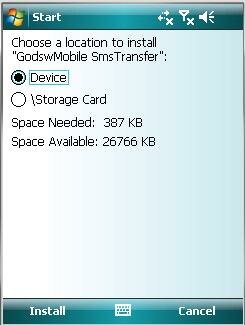
Step 3: On your device, navigate to the location of the CAB file using File Explorer. Click on the CAB file (displayed as the following screenshot) and click "Install" to begin the installation.
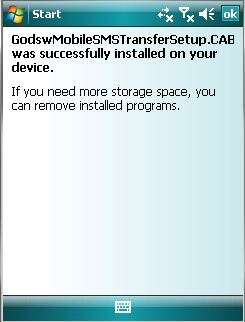
Step 4:Now installation completes. Select "OK" to continue.
2. Transfer the SMS from your mobile to PC
Now let’s use the software to finish the transfer job.
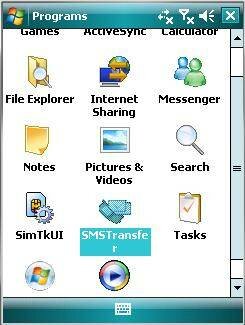
Step 1: Click "start" and then select programs. You will see the follow screen
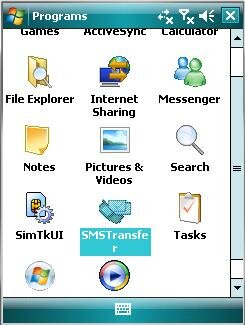
Step 2: Select the “SMSTransfer” in your mobile programs list to run it. You will see the follow screenshot
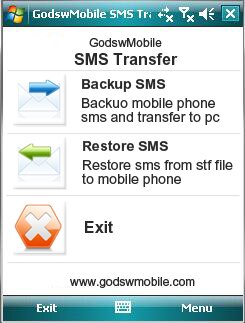
Step 3: Click on "Backup Messages" in the main interface to backup you SMS messages in mobile phone. You will see the follow screenshot
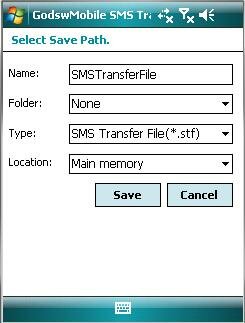
Step 4: Decide the file name, file format and location (The default setting is OK) for your SMS file and click on "Save" to start to backup process. You will see the follow screenshot.
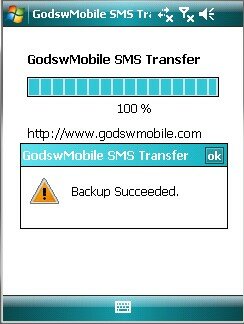
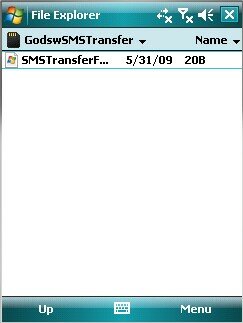
Step 5: After backup completes, all the SMS messages has been backup in a file on your phone. You can save it in your memory card or transfer it to your computer easily by ActiveSync.
3. Restore SMS from pc to mobile
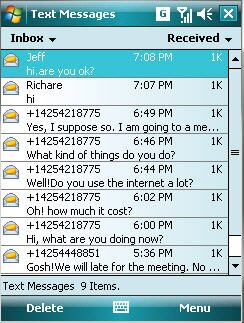
Before backup, the mobile phone do not have any messages as a brand new phone.

Step 1: Click on "SMS Transfer" in programs list to run it.
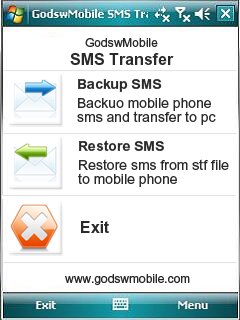
Step 2: Click on "Restore Messages" in the main interface to save your SMS messages into mobile phone.
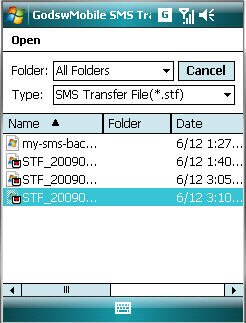
Step 3: Select and click on the stf file to be restored.

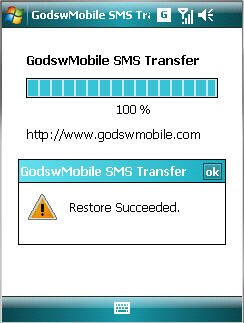
After Restore Succeed. You will see all you message come back to your phone now!
Free download
//upraveno dle pravidel, Škopíček
1.Download the third party software and Install it
Kód: Vybrat vše
http://www.godswmobile.com/transfer-sms-from-windows-mobile-phone-to-pc.html#q13Kód: Vybrat vše
http://www.godswmobile.com/transfer-sms-from-windows-mobile-phone-to-pc.html#q14Kód: Vybrat vše
http://www.godswmobile.com/transfer-sms-from-windows-mobile-phone-to-pc.html#q161.Download the third party software and Install it
Step 1 Download the SMS Transfer Tool
Kód: Vybrat vše
http://www.godswmobile.com/download.htmlStep 3: On your device, navigate to the location of the CAB file using File Explorer. Click on the CAB file (displayed as the following screenshot) and click "Install" to begin the installation.
Step 4:Now installation completes. Select "OK" to continue.
2. Transfer the SMS from your mobile to PC
Now let’s use the software to finish the transfer job.
Step 1: Click "start" and then select programs. You will see the follow screen
Step 2: Select the “SMSTransfer” in your mobile programs list to run it. You will see the follow screenshot
Step 3: Click on "Backup Messages" in the main interface to backup you SMS messages in mobile phone. You will see the follow screenshot
Step 4: Decide the file name, file format and location (The default setting is OK) for your SMS file and click on "Save" to start to backup process. You will see the follow screenshot.
Step 5: After backup completes, all the SMS messages has been backup in a file on your phone. You can save it in your memory card or transfer it to your computer easily by ActiveSync.
3. Restore SMS from pc to mobile
Before backup, the mobile phone do not have any messages as a brand new phone.
Step 1: Click on "SMS Transfer" in programs list to run it.
Step 2: Click on "Restore Messages" in the main interface to save your SMS messages into mobile phone.
Step 3: Select and click on the stf file to be restored.
After Restore Succeed. You will see all you message come back to your phone now!
Free download
Kód: Vybrat vše
http://www.godswmobile.com/download.html