



Pozadavky: Android 2.1 a vyssi
Popis: The ultimate file converter! Convert for example to doc, pdf, jpg, and way more!
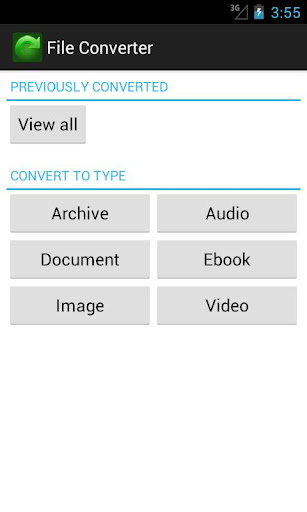
With File Converter you can convert almost all your files! Convert files to Archives, Audio, Documents, Ebooks, Images or Videos!
Screen:
Video:
Vice info:
Kód: Vybrat vše
https://play.google.com/store/apps/details?id=com.icecoldapps.fileconverterKód: Vybrat vše
http://www.directmirror.com/files/1RO42TIZ
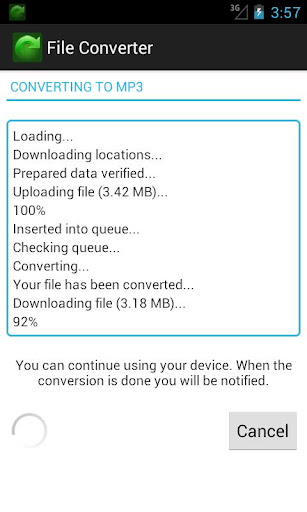
http://www.embedupload.com/?d=8PMLKDGHIAThe converting will be accomplished by uploading your file to the cloud where it will be converted. Afterwards it will be downloaded back to your phone and the source and converted file will be deleted from our server. While the file is being uploaded, processed and downloaded you can continue using your phone as normal.
Videos: convert to 3G2, 3GP, AVI, FLV, Matroska MKV, Quicktime MOV, MP4, MPEG-1, MPEG-2, OGG, WebM VP8, WMV, For Android, For BlackBerry, For iPad, For iPhone, For iPod, For Nintendo DS DPG, For Playstation 3 PS3, For PSP, For Nintendo WII, For XBOX 360
Documents: convert to Word (doc and docx), Flash, HTML, Open-Office, PDF, Text
Audio: convert to AAC, AIFF, FLAC, M4A, MP3, OGG, WAV, WMA
Ebooks: convert to ePub, AZW3, FB2, LIT, LRF, MOBI, PDB, PDF, TCR
Images: convert to BMP, EPS, GIF, EXR, ICO, JPEG, PNG, SVG, TGA, TIFF, WBMP, WEBP
Archives: convert to 7Z, TAR BZ2, TAR GZ, ZIP
Other features of the File Converter:
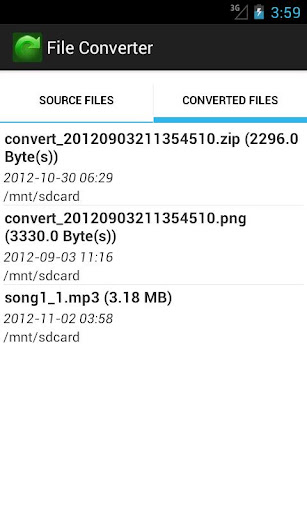
- The app remembers the source and converted files so later on you can export, rename, open, etc
- Share a converted file through the web: the app will temporarily act as a webserver so from another location from the browser the file can be downloaded/viewed (if on the same WIFI network)
- Upload converted files to FTP. Specify the login and path.
- Upload converted files to a Samba (SMB/CIF) server. For example a Network Attached Storage (NAS)
- Upload converted files to a WebDAV server
- Upload converted files to Dropbox
- Upload converted files to your own server with HTTP POST (if need you can specify http login details)
- Use your own file manager application and select File Converter to open. This will load the file automatically! Help included for how to install ASTRO File Manager, File Manager, Ghost Commander, Root Explorer
- Use our built in file browser popup to select a file
- Use the gallery function of your device to select an image, audio or video!
- Use the camera function to take a picture/video and convert it
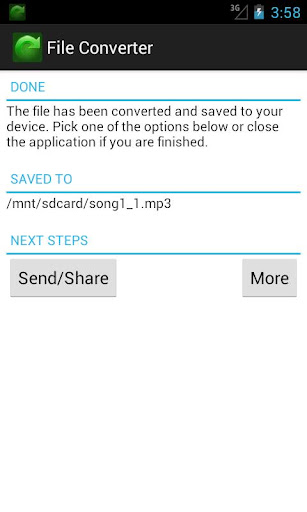
- Send the converted file by email
- Share the converted file through DropBox, Google Docs, Box.net, Evernote, HiDrive (help included)
- A progress indicator shows the upload and download status
Extra features for file types:
For video: depending on the selected format you can change the size (width and height), quality, video bitrate, audio quality, frame rate, rotate, flip (mirror), or trim to a specific part of the video
For audio: depending on the file type you want to convert to you can change: bitrate, frequency, channels (mono, stereo), normalize or trim to a specific part of the audio
For ebook: depending on the selected format you can change the Ebook title, Author, Add a border, Select the encoding, enable ASCII ouput or select the ebook type: Kindle, Kindle DX, Kindle Fire, Apple iPad, Sony, Sony 300, Sony 900, MS Reader, Mobipocket, Hanlin V3, Hanlin V5, Cybook 3, Cybook Opus, iLiad, IrexDR1000, IrexDR800, jetBook, Kobo, Nook, Nook color, Bambook, Tablet, Generic e-ink, Generic e-ink large, Pocketbook 900
For images: depending on the selected format you can change the quality, size (width and height), dots per inch (DPI), apply filters and/or color effects
For documents: convert Word 2007, docx, xlsx, pptx, new formats are supported! You can, for example, convert these to PDF.


