(25,- Kc)
Pozadavky: Android dle zarizeni
Popis: ZArchiver - file manager with many features for managing archives. The program has a simple and functional interface.
Advantages of Pro version:
* Light and dark skin;
* View comments on zip archives.
Screen:
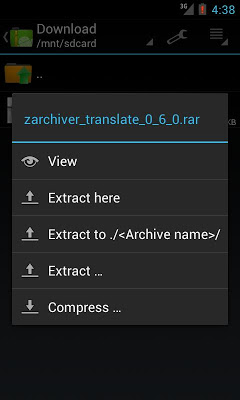
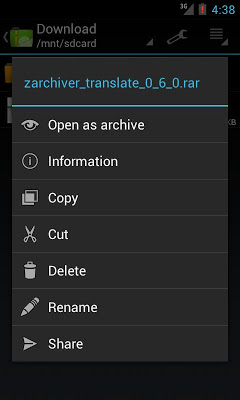
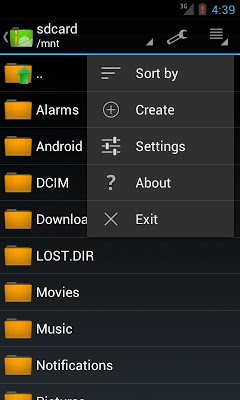
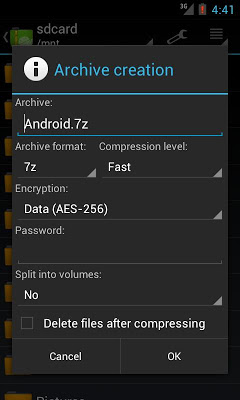
What's in this version:
0.6.5
- fix background work
- fix usability GUI
- fix nested archive open
- other fix
0.6.4
- fix service bug
- add CP437
- fix enter password bugs
- improved menu
- other fix
0.6.2
- fix force close (crash)
- fix stop service
- add and update localization
- change action on menu button
- other small fix
0.6.1
- ICS UI style
- support x86
- support different code page for non-UTF zip
- many new future
- support ISO more 2GB
- new localization
- other fixes
Vice info:
Kód: Vybrat vše
https://play.google.com/store/apps/details?id=ru.zdevs.zarchiver.proKód: Vybrat vše
http://uloz.to/xb3Rv6Yt/zarchiver-donate-v0-6-5-4allmobile-eu-apk
https://mega.co.nz/#!7cJjwJDL!GrAI3Q0Gs5fUbQuQxHzI6F3u-jgoGja9t4tX2MXOqqk
http://www32.zippyshare.com/v/24910707/file.html* Copy/Delete/Rename file and folder;
* Create following archive types: 7z (7zip), zip, bzip2 (bz2), gzip (gz), XZ, tar;
* Decompress archive types: 7z (7zip), zip, rar, bzip2, gzip, XZ, iso, tar, arj, cab, lzh, lha, lzma, xar, tgz, tbz, Z, deb, rpm, zipx, mtz;
* View archive contents: 7z (7zip), zip, rar, bzip2, gzip, xz, iso, tar, arj, cab, lzh, lha, lzma, xar, tgz, tbz, Z, deb, rpm, zipx, mtz;
* Create and decompress password-protected archives;
* Edit archive: add/remove files to/from the archive (zip, 7zip, tar, apk, mtz);
* Create and decompress multi-part archives: 7z, rar(decompress only);
* Partial archive decompression;
* Open compressed files;
* Open an archive file from mail application.
Key features:
* Multithreading support (useful for multicore processors);
* UTF-8/UTF-16 support in filenames. Allows you to have national symbols in compressed filenames;
* No need to enable multiselect mode. You can select files by clicking on icon to the left of the filename;