



(299,- Kc)
Pozadavky: Android 2.1 a vyssi
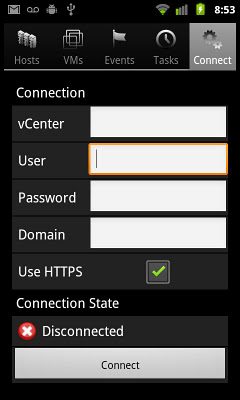
Popis: Connect to your Vmware® vCenter or to your ESX(i) server and take control of your Virtual Machines on the go!
The ideal application for Data Center Administrators who want to have a life outside of work too!
 It does not replace your vSphere® Client, but it comes really close to it.
 Screen:
Video:
What's in this version:
- Various bugfixes
Vice info:
Kód: Vybrat vše
https://play.google.com/store/apps/details?id=com.projecteureka.android.aVMControlKód: Vybrat vše
http://adf.ly/dCqLL
http://dfiles.eu/files/ggqyv8ctp
http://www5.zippyshare.com/v/74326436/file.html
http://www.tusfiles.net/6gsy39gl32jh
http://uloz.to/xkW4aEPv/ivmcontrol-v3-1-1-apk
http://ulozto.sk/x6NwTt2b/ivmcontrol-v3-1-1-apk
The ideal application for Data Center Administrators who want to have a life outside of work too! It does not replace your vSphere® Client, but it comes really close to it.
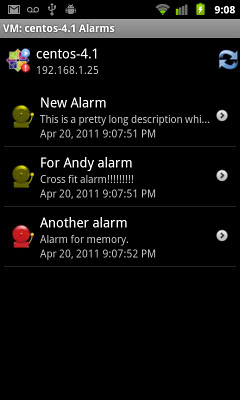
iVMControl allows you to connect remotely and securely to your Virtualization Hypervisors and monitor the activity on the hosts and on the VMs. You will be able to check alarms, events and task status, see the status of every host and VM, the operating system installed, the power state, the status and version of your vmtools, check if any VM has raised an alarm and so on.
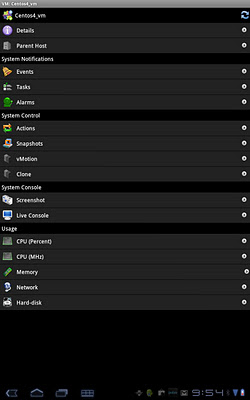
You can also remotely power on, power off or suspend virtual machines, enter or exit maintenance mode, reboot, disconnect or reconnect your ESX hosts.
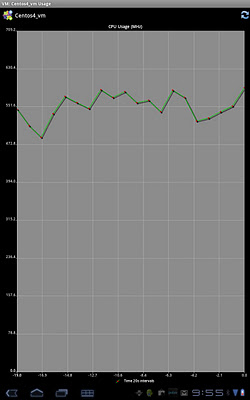
You can see the graphs for the CPU usage, memory, NIC card usage, HDD usage for both VMs and Hosts, you can make/restore/manage snapshots of VMs.
In addition, we offer VMotion support and screenshots for VMs (more to come...)
A WiFi connection is recommended, but not required. You can also use VPN connections if you have a VPN client on your device.
For slower connections, you might want to tweak your connection timeout parameter (by default 30 sec).


