



(77,- Kc)
Pozadavky: Android 4.0.3 a vyšší
Popis: Calendar+ is an awesome Google Calendar application that helps you manage each event on your calendars. Calendar+ automatically synchronizes with all of your Google Accounts and displays events through various views and options.
Also Calendar+ provides quick add feature which enables users to add a new event in the blink of an eye. With Calendar+ you can add a new event with text or with voice input. Our natural language parsing engine understands various date and time formats and makes adding a new event easier than ever before.
Screen:
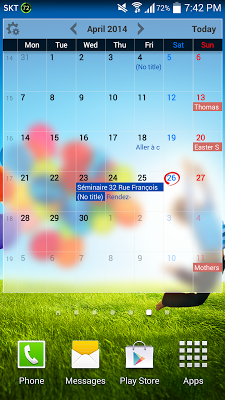
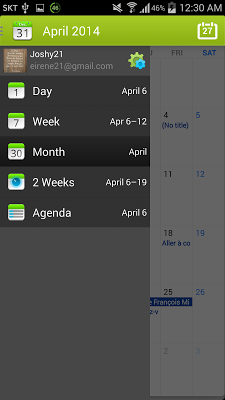
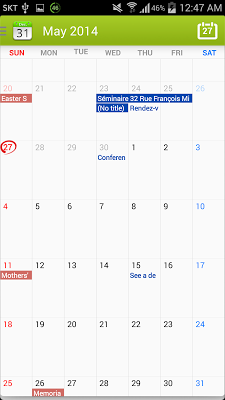
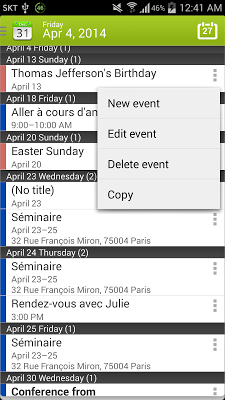
What's in this version:
1.06.43
Quick add enhancement and bug fixes
1.06.42
Header style option added
1.06.41
Quick add recurrence rule support added
1.06.40
New translucent widget theme added
1.06.35
Custom reminder added
1.06.32
New vertical monthly/custom week view
week number
1.05.40
Adding a new event has never been easier than this!
Vice info:
Kód: Vybrat vše
https://play.google.com/store/apps/details?id=com.joshy21.vera.calendarplusKód: Vybrat vše
http://www60.zippyshare.com/v/6290134/file.html
http://uploaded.net/file/2nozdx25/Calendar__1.06.43.apk
http://billionuploads.com/r4doovnbp5in
http://hugefiles.net/eszh9jzyet88
http://rapidgator.net/file/48d5d028f9c53031bcc6fff681aaa3d4/Calendar__1.06.43.apk.html
http://www.tusfiles.net/h5oq451ghji5
- Add a new event with voice input
- Add a new event through text
- Create, edit, and delete events
- Attach and see event-related photos
- Attach and see event-related map
- Switch week start day while seeing events
- Switch current custom view settings while seeing events
- Get notified of events ahead of time
- Send an email to all invited guests
- View events through various home widgets
- Change event timezone when traveling
- See daily events count through agenda view
- Filter calendars to display while seeing events
- Search events by event title
- See recently searched location on map view
- Set default calendar to add a new event (on quick add view and all edit views)
- Hide declined events
- Set up notifications & reminders settings (popup, sound, vibration setting)
- Set up default reminder time
- Add a new google calendar account
- Long-press a date or a time and quickly add a new event
- See event title and location on a monthly/weekly/biweekly/3-week/4-week calendar
- Specify various recurrence rules such as "every 3 months on day 15, 5 times" etc.
- Tap a date on home widget and view event information or add a new event


