


Požadavky: Android liší se dle zařízení
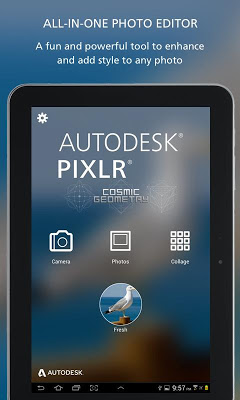
Popis: Pixlr Express is a fun and free photo editor that lets you quickly crop, re-size, and fix any picture, remove red-eye, and whiten teeth.
Screen:
Vice info:
Kód: Vybrat vše
https://play.google.com/store/apps/details?id=com.pixlr.express&hl=en Kód: Vybrat vše
http://ulozto.cz/x21aNpZv/autodesk-pixlr-photo-editor-v2-6-0-4allmobile-eu-apk
http://ulozto.net/xGB7UgZu/autodesk-pixlr-photo-editor-v2-6-0-4allmobile-eu-apk
https://webshare.cz/file/1LW37R2j1h/autodesk-pixlr-photo-editor-v2-6-0-4allmobile-eu-apk
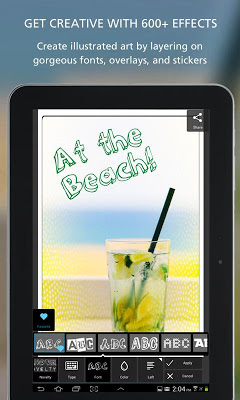
Pixlr (formerly Pixlr Express) is a fun and powerful photo editor that lets you quickly crop, rotate, and fine-tune any picture, all in a completely ad-free experience. Choose from over 2 million combinations of free effects, overlays, and borders to further personalize your image. Pixlr makes you look like a pro, even if you’ve never edited a photo before.
Create a free Pixlr account to automatically unlock premium content and features including Double Exposure with blend modes and Auto Contrast.
Features:
• Apply effects in real time – preview effects and overlays straight from your camera.
• Easily crop, rotate and adjust images when saving and sharing.
• Choose from four pre-defined dimensions (or input your own custom dimensions) for fast and flexible image resizing after editing.
• Create and customize a photo collage by editing its layout, background, and spacing.
• ‘Auto Fix’ photos for a one-click fix to balance out colors, adjusting for poor lighting conditions.
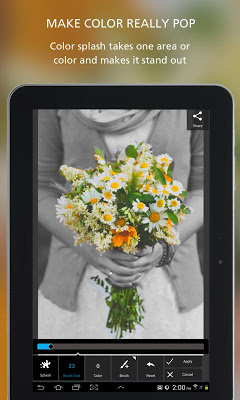
• Explore cool tools: easily adjust the contrast and brightness of your image, focus on one color with Color Splash, or add impact with Focal Blur.
• Make your photo look like a drawing or sketch with stylize adjustments such as halftone, watercolor, and pencil.
• Remove red-eye and whiten teeth with simple tools.
• Explore the growing catalog of additional effects, overlays, and border packs.
• Overlays help adjust the mood of the photo – amplify the tone, cool it down, or add surreal shades.
• Finish off your editing process with the right border – pick a style that fits you.
• Keep track of your favorite effects and overlays with the favorites button.
• Share your photo directly with friends through Instagram, Facebook, Twitter, or email.


